
If you want more people to discover your app without relying only on paid campaigns, this app store optimization guide is where you should start. A strong app store optimization guide helps you improve visibility, attract the right users, increase install rates, and strengthen conversion from store impression to download. Apple says App Store search results are influenced by text relevance such as title, subtitle, keywords, and primary category, along with user behavior like downloads, ratings, and reviews. Google Play also emphasizes high quality store listings and warns against repetitive or irrelevant keyword use.
The reason this app store optimization guide matters so much now is simple. App discovery is no longer just about ranking for one or two keywords. You need a page and a listing experience that satisfy search intent, communicate value fast, and help both users and platforms understand what your app actually does. Google’s current search guidance for AI experiences recommends unique, helpful, non-commodity content, and its people-first content documentation says you should create for readers first, not just for rankings.
Table of Contents
Why Every App Needs This App Store Optimization Guide?
A practical app store optimization guide is not just about keyword placement. It is about aligning discoverability with conversion. You may get impressions, but if your app icon, screenshots, subtitle, short description, and review profile do not inspire trust, those impressions will not turn into installs. Apple explicitly notes that product page elements such as app name, subtitle, screenshots, and more can appear in search results, while ratings and reviews can influence ranking and engagement from search.
That is why ASO works best when you treat it as both a visibility system and a conversion system. The right ASO approach helps you connect with people who are already looking for a solution like yours. Instead of chasing low-quality traffic, you attract users who are more likely to install, engage, and stay.
How This App Store Optimization Guide Works for iOS and Android?
A smart app store optimization guide must respect the fact that iOS and Android are not identical. Apple gives you a title, subtitle, keyword field, categories, screenshots, previews, and ratings that all shape discoverability and conversion. Google Play gives you an app name, short description, full description, category, tags, localized assets, and store listing experiments to improve performance over time.
That means you should never apply the same optimization process blindly to both stores. If you do, you risk wasting character limits, missing ranking signals, and weakening your message. A better path is to use one strategy, but adapt execution by platform.
iOS vs Android ASO Comparison
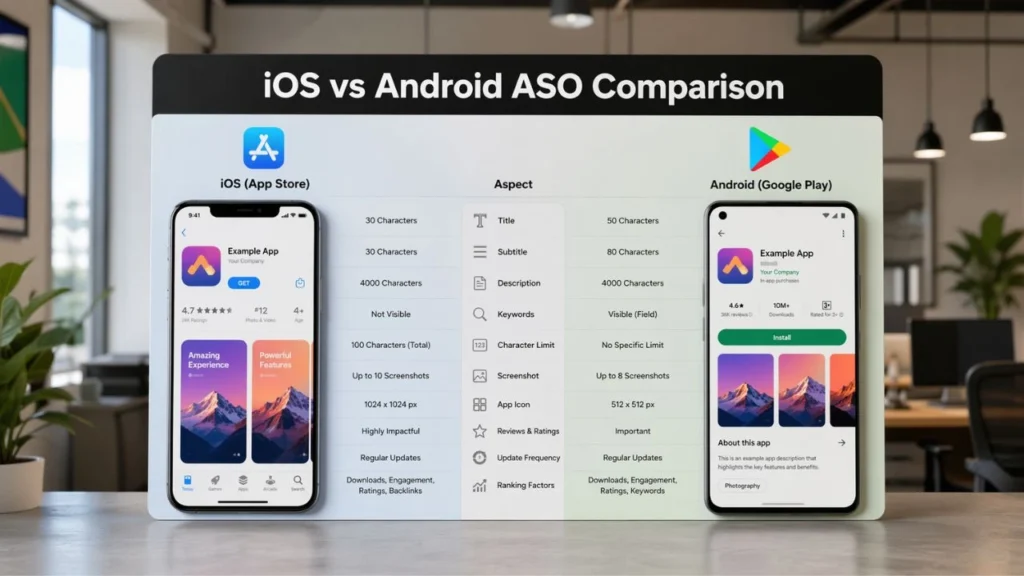
The table below gives you a quick view of how this app store optimization guide should differ for each platform. Apple and Google both document distinct listing fields, discovery elements, localization options, and testing capabilities.
| Element | iOS App Store | Google Play |
| Core text fields | App name, subtitle, keyword field | App name, short description, full description |
| Key discovery factors | Title, subtitle, keywords, primary category, user behavior | Listing text, category, tags, visuals, user behavior |
| Visual impact | Screenshots and previews can appear in search | Preview assets influence conversion and listing quality |
| Review impact | Ratings and reviews influence ranking and engagement | Reviews and listing quality affect trust and installs |
| Localization | Localized metadata and assets supported | Localized text and graphic assets supported |
| Testing | Product page optimization | Store listing experiments |
Keyword Research in an App Store Optimization Guide
Any serious app store optimization guide begins with keyword research, but good keyword research is not about stuffing every phrase you can find into your listing. It is about understanding how people search, what problem they want solved, and how your app fits that need.
Start with four groups of terms:
- problem based keywords
- feature based keywords
- outcome based keywords
- competitor adjacent keywords
Then map those terms to each platform. On iOS, your keyword field matters, so you need a clean, focused keyword set. On Google Play, your visible text fields matter more, so messaging clarity becomes even more important. Google Play’s help documentation specifically warns that repetitive or irrelevant keyword use in the app name or descriptions can lead to a poor experience and even suspension.
A good app store optimization guide also looks beyond raw search volume. You should ask:
- What is the searcher trying to do?
- Is the keyword informational, navigational, or transactional?
- Does my screenshot sequence support that intent?
- Does my description reinforce that benefit?
When you answer those questions, ASO becomes sharper and more profitable.
Metadata Strategy in an App Store Optimization Guide
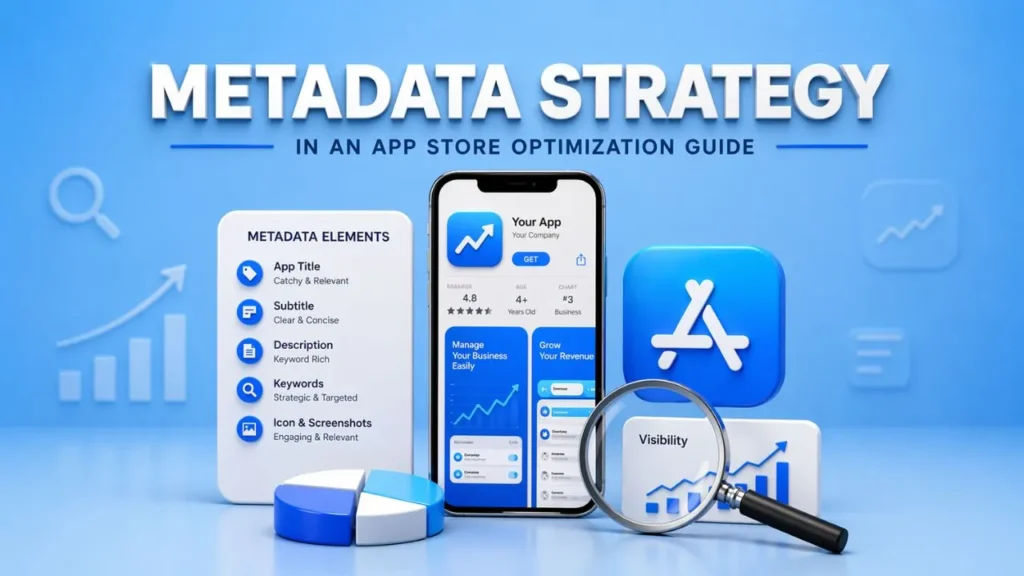
The metadata section of an app store optimization guide is where visibility and persuasion meet.
For iOS, your app name and subtitle need to communicate value fast. Apple says search relevance is tied to title, subtitle, keywords, and primary category, so every character should work hard. For Google Play, the app name, short description, and full description should make the value of the app obvious without sounding forced or repetitive. Google Play documents a 30 character limit for app name, 80 character limit for short description, and 4000 character limit for full description.
The best way to write this metadata is to balance clarity with intent. Instead of trying to sound overly clever, focus on what users care about most. What does your app help them do faster, better, or more easily? The stronger that answer is, the better your metadata will perform.
A practical app store optimization guide also reminds you that search visibility alone is not enough. You need copy that earns the tap.
That means:
- a title that signals relevance
- a subtitle or short description that highlights value
- a fuller description that builds confidence
- a message that matches the user’s actual need
Visual Conversion Tactics in an App Store Optimization Guide
A conversion-focused app store optimization guide always treats visuals as sales assets, not decoration.
Apple says the first one to three screenshots can appear in search results when no app preview is available, and it recommends using screenshots that highlight the essence of the app and then focusing later screenshots on specific benefits or features. Apple also supports testing alternate icons, screenshots, and previews through product page optimization.
Google Play also highlights preview assets, localized images, and videos as part of the store listing experience, and it points developers toward store listing experiments for optimization.
So when you build screenshots, do not just show UI. Show progress, outcomes, ease, speed, trust, and results. Your visuals should answer the question a user is silently asking: why should I install this app instead of another one?
That is where ASO often wins or loses. You may rank, but if your visual story is weak, your conversion rate will stay weak too.
Reviews and Ratings in an App Store Optimization Guide
No app store optimization guide is complete without a review and rating strategy.
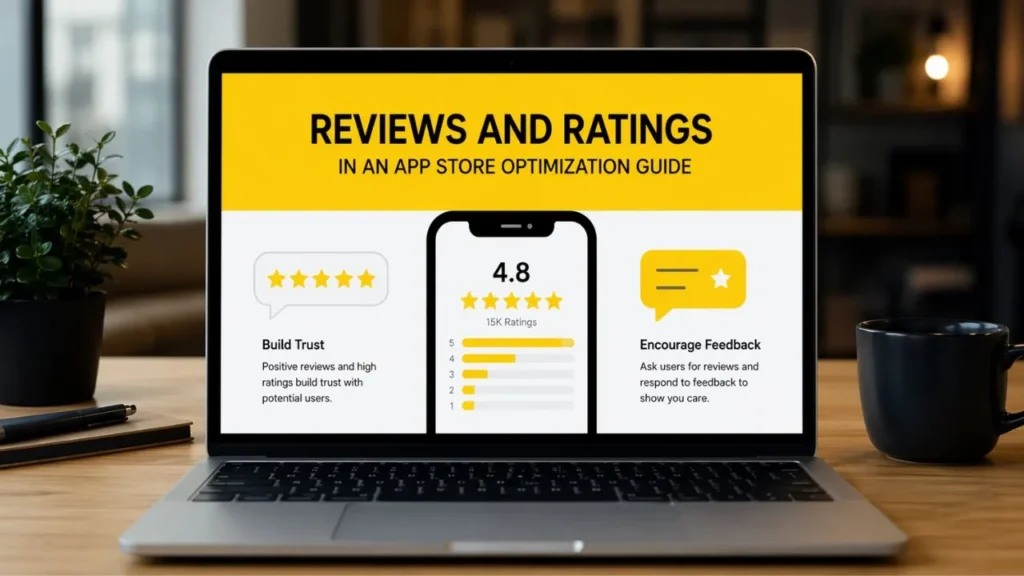
Apple states that ratings and reviews influence how your app ranks in search and can encourage users to engage from search results. Apple also allows in-app review prompts through SKStoreReviewController, though prompts are limited.
This matters because people judge quickly. If your listing has poor sentiment, outdated screenshots, and vague messaging, your install rate suffers. That is why you should treat reviews as both a trust signal and a research source.
They tell you:
- what users value
- what frustrates them
- what language they naturally use
- what objections you need to address in your listing
A strong app store optimization guide turns those insights into better copy, better onboarding, and better retention.
Localization in an App Store Optimization Guide
A scalable app store optimization guide must include localization.
Apple supports localized product page elements, and Google Play says you can add translations, in-language screenshots, and localized graphic assets so users can see listing elements that match their language preferences.
If you are targeting multiple regions, translation alone is not enough. You need message localization. That means adjusting benefits, screenshots, keyword choices, and social proof to match the expectations of each market. What persuades users in one country may not persuade users in another.
This is one of the places where an ASO services agency or a broader Mobile Marketing agency can create real value. If your team is already stretched, outside support can help you localize with more consistency and better testing discipline.
Testing in an App Store Optimization Guide
A real app store optimization guide is never static. It evolves through testing.
Apple’s product page optimization allows testing of up to three different treatments using alternate icons, screenshots, and previews, and Apple says you can use App Analytics to evaluate which treatment performs best. Google Play also points developers to optimize store listings with experiments inside Play Console.
That means you should test:
- screenshot order
- headline framing
- value propositions
- icon direction
- benefit led messaging
- localized creative variations
The goal is not to change everything at once. The goal is to learn what drives better conversion and then build from that insight. This is where a disciplined ASO services agency often outperforms guesswork. They test with intent, not just instinct.
How This App Store Optimization Guide Supports SEO, GEO, AEO, and Voice Search
This app store optimization guide should not live only for app marketplaces. Your blog content should also rank in traditional search, AI search experiences, and voice driven queries.
Google’s recent AI search guidance says content should be unique, helpful, and satisfying, especially as users ask longer and more specific questions. Google’s structured data guidelines also recommend accurate, visible, representative markup and note that correct markup does not guarantee rich results.
That is why your blog page should include:
- clear section headings
- concise definition paragraphs
- comparison tables
- FAQ blocks
- structured data that matches visible content
- natural language phrasing that sounds like how people actually ask questions
When you write this way, you improve your chances of being surfaced not only on SERP, but also in AI summaries and voice-driven answers.
When to Work With an ASO Services Agency
You do not always need external help, but there are clear moments when it makes sense.
If your app has traffic but weak conversion, if your listing updates are inconsistent, if you are expanding into new regions, or if your internal team lacks time for disciplined testing, an ASO services agency can help you move faster with better structure. In some cases, a Mobile Marketing agency may be the better fit if you need ASO tied closely to paid acquisition, lifecycle retention, creative testing, and broader growth planning.
The key is not just hiring support. The key is choosing a partner that understands both discovery and conversion.
Common Mistakes You Should Avoid
Even the best app store optimization guide can fail in execution if you make avoidable mistakes.
Do not:
- chase high-volume keywords with no intent match
- copy the same metadata logic for iOS and Android
- overload descriptions with repetitive keywords
- ignore screenshots and icons
- neglect reviews and feedback loops
- treat localization as direct translation only
- skip testing and rely on assumptions
Google Play’s listing guidance is especially clear that irrelevant or repetitive keyword use creates a poor experience. That warning alone should push you toward a cleaner, more user-focused strategy.
Final Thoughts
At its core, this app store optimization guide is about making your app easier to find and easier to trust. When you combine smart keyword targeting, stronger visuals, better metadata, review management, localization, and consistent testing, your app becomes much easier to discover and much easier to choose.
If you want long-term organic growth, do not treat ASO like a one-time task. Treat it like an ongoing growth system. That mindset is what separates average listings from high-performing ones.
And if you want expert help building that system, whether through an ASO services agency or a full-service Mobile Marketing agency, the next step is simple:
Request ASO Strategy
FAQs
What is ASO in simple words?
ASO is the process of improving an app’s visibility and conversion rate in app stores like Apple App Store and Google Play. It includes keyword strategy, metadata, visuals, reviews, localization, and testing.
Why is this app store optimization guide important?
This app store optimization guide helps you understand how to improve rankings, installs, and listing conversion without depending only on paid traffic.
Is ASO different for iOS and Android?
Yes. Apple and Google Play use different listing structures and optimization signals, so your app store optimization guide should adapt your execution for each platform.
Can an ASO services agency help my app grow faster?
Yes, especially if you need better keyword mapping, conversion-focused creative strategy, localization, or structured testing.
Should a Mobile Marketing agency handle ASO too?
It depends on your goals. If you want ASO connected to broader acquisition and retention planning, a Mobile Marketing agency can be a strong choice.
