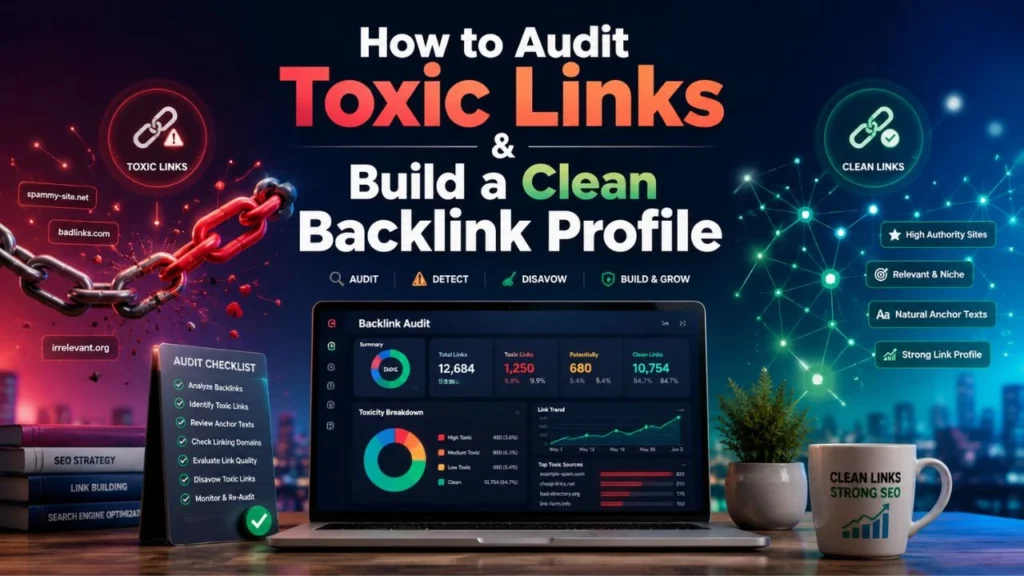
Backlinks can help your website grow, but not every backlink is good for SEO. Some links improve trust, authority, visibility, and rankings. Others can create risk, especially when they look spammy, paid, irrelevant, or unnatural. That is why learning how to Audit Toxic Links is an important part of building a safe and strong SEO foundation.
A clean backlink profile does not mean your website has only high authority links. It means your links look natural, relevant, diverse, and trustworthy. Search engines want to see that other websites link to you because your content is useful, not because you are trying to manipulate rankings.
If your site has old spammy backlinks, suspicious anchor text, paid link history, or sudden ranking drops, you should not ignore the issue. At the same time, you should not panic and disavow every backlink that looks weak. You need a balanced and careful process.
In this guide, you will learn how to Audit Toxic Links, identify harmful backlinks, understand Google Disavow Tool myths and real use cases, use the disavow process correctly, and build a clean backlink profile that supports long term SEO growth.
What Are Toxic Links?
Toxic links are backlinks that may harm your website’s SEO performance because they look unnatural, spammy, manipulative, irrelevant, or unsafe. These links usually do not add real value to users. Instead, they may exist only to influence search rankings.
When you Audit Toxic Links, your goal is not to remove every low quality backlink. Your goal is to find links that may create real SEO risk.
Table of Contents
Common Types of Toxic Links
Here are some common examples of toxic backlinks:
| Type of Toxic Link | Why It Can Be Risky |
| Paid links created only for ranking | They may violate search engine guidelines |
| Private blog network links | They often exist only to manipulate authority |
| Spam directory links | They usually have little relevance or quality |
| Hacked website links | They can damage trust and user safety |
| Comment spam links | They are often automated and unnatural |
| Exact match anchor links at scale | They can make your backlink profile look manipulated |
| Links from adult, gambling, or malware sites | They can create brand and trust issues |
| Foreign language spam links | They may look irrelevant if your site does not target that region |
| Sitewide footer links | They may look unnatural when repeated across many pages |
Are All Low Quality Links Toxic?
No, all low quality links are not toxic. This is where many website owners make mistakes.
A small blog with low authority may link to your website naturally. That does not make the link toxic. A newly published website may not have strong metrics yet, but it can still be relevant. A nofollow link from a low traffic page may not help much, but it may not hurt either.
When you Audit Toxic Links, you should look at the full picture. Check the linking website, page relevance, anchor text, link placement, outbound link pattern, and whether the link looks natural.
Why You Need to Audit Toxic Links?
A backlink profile can change over time. You may gain links naturally, but you may also collect spammy links, scraper links, old directory links, or links from past SEO campaigns. If you do not review them, you may not know what is helping or hurting your site.
Protect Organic Rankings
Search engines use backlinks as one of many signals to understand authority and trust. If your backlink profile has too many unnatural links, it may weaken your SEO performance.
That is why you should Audit Toxic Links regularly. It helps you find risky patterns before they become bigger problems.
Reduce Manual Action Risk
If a website has manipulative backlinks, it may face a manual action. This usually happens when search engines detect link schemes, paid links, or unnatural link building patterns.
A toxic link audit helps you identify those risks early. You can remove harmful links, document your work, and use the disavow process only when needed.
Support Google Penalty Recovery for Lost Rankings
If your rankings dropped after old link building campaigns, paid backlinks, or aggressive anchor text strategies, backlink cleanup may help. A proper toxic link audit can support Google penalty recovery for lost rankings by helping you separate harmful links from natural links.
However, link cleanup alone may not fix every ranking issue. You should also check content quality, technical SEO, user experience, internal linking, and search intent.
Build a Better SEO Strategy
When you Audit Toxic Links, you also learn what kind of links your website has attracted. This helps you understand what to avoid in future link building.
For example, if you find many links from irrelevant directories, you can stop using those tactics. If you see that your best links come from helpful content, digital PR, or niche relevant mentions, you can focus more on those areas.
Toxic Link Audit vs Normal Backlink Audit
A normal backlink audit and a toxic link audit are related, but they are not exactly the same.
| Factor | Normal Backlink Audit | Toxic Link Audit |
| Main Purpose | Understand link strength and authority | Identify harmful or risky backlinks |
| Focus Area | Link growth, referring domains, anchor text | Spam, manipulation, link schemes, unsafe domains |
| Best For | SEO planning and link building | Risk reduction and ranking recovery |
| Tools Needed | GSC, Ahrefs, Semrush, Moz, Majestic | Same tools plus manual review |
| Final Output | Backlink performance report | Toxic link list, removal list, disavow file if needed |
| Frequency | Every 3 to 6 months | After ranking drops, manual actions, or suspicious link spikes |
A normal audit helps you understand your link profile. A toxic link audit helps you clean it. If your website depends on organic traffic, you should know how to Audit Toxic Links properly.
Signs Your Website May Have Toxic Backlinks
You do not always need to run a deep backlink cleanup. But some signs show that your website may need attention.
Sudden Ranking Drop
If your rankings fall suddenly, toxic backlinks could be one possible reason. But do not assume it immediately. Ranking drops can also happen because of algorithm updates, technical errors, content decay, poor user experience, or stronger competitors.
Before you Audit Toxic Links, compare the ranking drop date with:
- Google algorithm updates
- Recent website changes
- Technical SEO issues
- Indexing problems
- Content changes
- Backlink spikes
- Manual actions in Google Search Console
Manual Action in Google Search Console
If Google Search Console shows a manual action related to unnatural links, you need to act carefully. In this case, a full backlink review, link removal attempt, and disavow file may be necessary.
Too Many Irrelevant Referring Domains
If your website is about local SEO services but you have hundreds of backlinks from unrelated gambling, adult, casino, or foreign spam sites, that is a warning sign.
Relevance matters. A clean backlink profile should make sense for your niche, audience, and location.
Over Optimized Anchor Text
Anchor text is one of the biggest signals to check when you Audit Toxic Links.
If too many backlinks use exact match commercial keywords, your profile may look unnatural. For example, if hundreds of links use the same anchor like “best SEO agency in Kolkata,” it may look manipulated.
Spammy Link Sources
Some websites exist only to publish low quality outbound links. They may have copied content, random topics, poor design, and hundreds of external links on every page. Links from these websites usually do not build trust.
How to Audit Toxic Links Step by Step?
A proper toxic link audit is not about fear. It is about making informed decisions. You need data, manual review, and a clear classification system.
Step 1: Collect Your Backlink Data
To Audit Toxic Links, start by collecting backlink data from multiple sources. No single tool shows every backlink, so use more than one platform if possible.
Recommended Data Sources
- Google Search Console
- Bing Webmaster Tools
- Ahrefs
- Semrush
- Moz
- Majestic
- Screaming Frog for crawl support
- Manual website checks
Export your backlinks into a spreadsheet. This will help you compare data and review links properly.
Step 2: Create a Master Backlink Sheet
After exporting backlink data, merge everything into one master file. Remove duplicates so you do not waste time reviewing the same link again and again.
Your sheet should include these columns:
| Column Name | Purpose |
| Linking URL | Shows the exact page linking to you |
| Referring Domain | Helps you group links by domain |
| Target URL | Shows which page on your site gets the link |
| Anchor Text | Helps detect over optimization |
| Follow or Nofollow | Shows whether the link may pass ranking signals |
| First Seen Date | Helps identify link spikes |
| Domain Metric | Gives a rough quality signal |
| Spam Score | Helps with initial filtering |
| Link Type | Guest post, directory, comment, profile, etc. |
| Risk Level | Safe, neutral, suspicious, or toxic |
| Notes | Manual review comments |
Step 3: Group Links by Domain
Reviewing every single URL one by one can be time consuming. A better method is to group links by domain first.
For example, if one spammy website links to you from 500 pages, you do not need to review all 500 URLs separately. You can review the domain and decide whether the full domain is risky.
This makes the Audit Toxic Links process faster and more practical.
Step 4: Check Relevance
Relevance is one of the strongest quality signals. A backlink from a relevant website usually looks more natural than a random link from an unrelated site.
Ask yourself:
- Is the linking website related to your industry?
- Is the linking page related to your content?
- Does the link help users?
- Is the anchor text natural?
- Would this link make sense if search engines did not exist?
If the answer is no, the link may need closer review.
Step 5: Review Anchor Text Distribution
Anchor text helps search engines understand context. But too much exact match anchor text can create risk.
| Anchor Type | Risk Level | Example | What to Do |
| Branded anchor | Low | Dakshraj Enterprise | Usually safe |
| Naked URL | Low | example.com | Usually safe |
| Generic anchor | Low | Click here | Usually safe |
| Partial match anchor | Medium | SEO audit checklist | Review context |
| Exact match anchor | High if repeated | best SEO services in Kolkata | Review carefully |
| Irrelevant anchor | High | casino bonus | Mark as risky |
| Foreign spam anchor | High | Random unrelated text | Mark as risky |
When you Audit Toxic Links, do not judge anchor text alone. A single exact match anchor may not be a problem. The issue starts when you see repeated unnatural patterns.
Step 6: Identify Toxic Link Patterns
Toxic backlinks often appear in patterns. A single weak link may not be dangerous, but hundreds of similar spammy links can create risk.
Look for:
- Many links from the same IP range
- Repeated exact match anchor text
- Links from unrelated websites
- Sudden backlink spikes
- Links from pages with hundreds of external links
- Sitewide links from low quality domains
- Links from spun or copied content
- Links from hacked pages
- Links from expired domains used only for SEO
Pattern detection is one of the most important parts of the Audit Toxic Links process.
Step 7: Classify Every Link
Once you review links, classify them clearly.
| Link Category | Meaning | Recommended Action |
| Safe | Relevant, natural, editorial link | Keep |
| Neutral | Low value but not harmful | Monitor |
| Suspicious | Questionable source or anchor | Review manually |
| Toxic | Spammy, manipulative, hacked, paid, or irrelevant | Remove or disavow |
| Unknown | Not enough information | Recheck later |
This classification helps you avoid emotional decisions. You do not want to remove good links by mistake.
Step 8: Try Link Removal First
Before using the disavow tool, try to remove clearly harmful backlinks where possible.
You can contact website owners and request link removal. Keep your email short and polite.
Link Removal Email Template
Hello,
I noticed a backlink to my website from this page:
[Linking Page URL]
Please remove the link pointing to:
[Your Website URL]
Thank you.
You may not receive replies from every website owner. That is normal. Keep a record of your attempts, especially if you are working on Google penalty recovery for lost rankings.
Step 9: Prepare a Disavow File Only When Needed
The disavow file should not be your first step. It should be used carefully when harmful links cannot be removed and there is a strong reason to ask Google to ignore them.
You may need a disavow file if:
- Your site has a manual action for unnatural links
- You have a history of paid or manipulative links
- You inherited an old domain with spam backlinks
- You found strong evidence of link spam
- Your backlink profile has unnatural anchor patterns
- You cannot remove harmful links manually
A proper Audit Toxic Links process helps you decide whether disavow is necessary.
Step 10: Monitor After Cleanup
After backlink cleanup, keep tracking performance. Do not expect instant results. Search engines need time to recrawl pages, process signals, and reassess your website.
Monitor:
- Organic rankings
- Organic traffic
- Google Search Console messages
- Manual action status
- New backlinks
- Anchor text changes
- Referring domain quality
- Indexed pages
- Conversion trends
Google Disavow Tool Myths and Real Use Cases
Many website owners misunderstand the disavow tool. Some think it is a magic ranking recovery button. Others think they should never use it. The truth is somewhere in the middle.
Understanding Google Disavow Tool myths and real use cases helps you avoid dangerous mistakes.
Myth 1: Every Toxic Score Needs Disavow
Many SEO tools provide toxic scores or spam scores. These scores are useful for filtering, but they are not final decisions.
A tool may mark a link as toxic because the website has low authority, low traffic, or a weak link profile. But that does not always mean the link is harmful.
You should always review links manually before disavowing them.
Myth 2: Disavow Instantly Improves Rankings
Disavow does not produce instant ranking recovery. It asks Google to ignore selected links. Google still needs to process the file, recrawl links, and reassess your site.
If your ranking loss is caused by content problems, technical SEO issues, or stronger competition, disavow alone will not solve it.
Myth 3: Low Authority Links Are Always Bad
Low authority links are not always toxic. Every website starts somewhere. A relevant link from a small niche blog can still be natural and useful.
When you Audit Toxic Links, focus on quality, relevance, and intent, not just numbers.
Myth 4: Disavow Removes Links from the Web
Disavow does not remove links from websites. The links will still exist online. The disavow file only tells Google that you do not want certain links counted.
Myth 5: Every Website Needs Disavow
Many websites do not need disavow at all. Search engines are better at ignoring spammy links than before. Disavow should be used only when there is a real risk.
Real Use Cases of Google Disavow Tool
| Real Use Case | Why Disavow May Help |
| Manual action for unnatural links | Helps show cleanup effort |
| Paid link history | Reduces risk from manipulative links |
| PBN links | Helps disconnect from link networks |
| Negative SEO attack | Helps manage large scale spam patterns |
| Expired domain spam | Helps clean inherited backlink risk |
| Unnatural anchor text patterns | Helps reduce manipulative link signals |
This is why Google Disavow Tool myths and real use cases should be explained clearly in every backlink cleanup strategy.
How to Create a Disavow File Correctly?
A disavow file is a simple text file, but mistakes can create problems. If you disavow good links, you may reduce your site’s authority.
Disavow File Format
Use a plain .txt file. Add one URL or domain per line.
Example:
# Disavow file created after toxic link audit
# Link removal attempts completed before upload
domain:spamdomain.com
domain:badlinknetwork.com
URL Level vs Domain Level Disavow
| Disavow Type | Best For | Example |
| URL level disavow | One harmful page on an otherwise normal domain | https://site.com/spam-page/ |
| Domain level disavow | Entire domain is spammy or manipulative | domain:spamdomain.com |
In many toxic cases, domain level disavow is more practical. But if only one page is risky and the domain is otherwise good, use URL level disavow.
Common Disavow Mistakes to Avoid
Avoid these mistakes:
- Disavowing links based only on tool scores
- Disavowing natural links from small websites
- Uploading a file without keeping a backup
- Disavowing too many domains without review
- Ignoring anchor text patterns
- Forgetting to document removal attempts
- Using disavow before checking technical SEO
- Expecting instant ranking recovery
A careful Audit Toxic Links process protects you from these mistakes.
Toxic Link Audit and Disavow Services: What Should They Include?
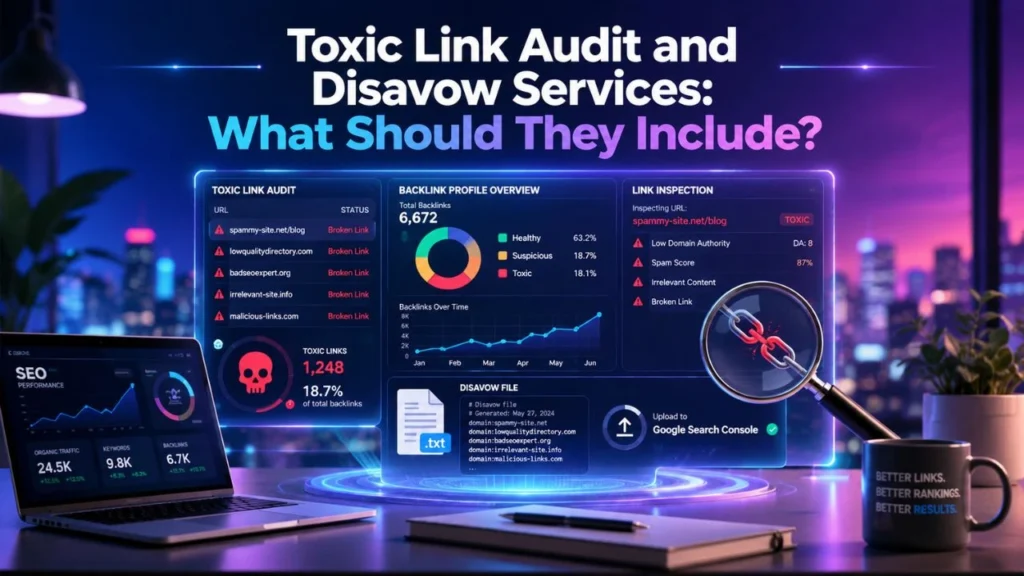
Many businesses choose professional toxic link audit and disavow services because backlink cleanup can be technical, time consuming, and risky if done incorrectly.
But not every service provider follows a careful process. A good service should focus on manual review, documentation, and safe decision making.
What Professional Toxic Link Audit and Disavow Services Should Cover
A reliable toxic link audit and disavow services process should include:
| Service Area | What It Should Include |
| Backlink Data Collection | Export links from multiple SEO tools |
| Link Deduplication | Remove duplicate URLs and domains |
| Anchor Text Analysis | Check exact match and spam anchors |
| Domain Quality Review | Review relevance, trust, and spam signals |
| Manual Link Classification | Mark safe, neutral, suspicious, and toxic links |
| Removal Outreach | Contact webmasters where possible |
| Disavow File Creation | Prepare a clean and accurate file |
| GSC Review | Check manual actions and messages |
| Recovery Tracking | Monitor rankings, traffic, and link changes |
Red Flags in Poor Link Audit Services
Be careful if a provider:
- Promises instant ranking recovery
- Disavows links without manual review
- Uses only one SEO tool
- Does not explain why links are toxic
- Removes large numbers of links without documentation
- Ignores content and technical SEO
- Claims every low authority link is harmful
- Does not understand Google Disavow Tool myths and real use cases
Good toxic link audit and disavow services should protect your website, not create more risk.
Google Penalty Recovery for Lost Rankings
Ranking drops can be stressful, especially when your business depends on organic traffic. If the drop is related to unnatural backlinks, you need a structured recovery plan.
Google penalty recovery for lost rankings starts with identifying the real cause. Do not assume backlinks are always the reason. You need to check manual actions, algorithm updates, technical issues, content quality, and competitor movement.
Manual Action vs Algorithmic Ranking Drop
| Factor | Manual Action | Algorithmic Ranking Drop |
| Visible in Google Search Console | Yes | No |
| Cause | Human review by Google | Algorithmic reassessment |
| Recovery Process | Cleanup plus reconsideration request | Cleanup and overall quality improvement |
| Timeline | Depends on review and recrawl | Depends on recrawl and reassessment |
| Documentation Needed | Very important | Helpful but not formally submitted |
Step 1: Confirm the Problem
Before you Audit Toxic Links, check:
- Did rankings drop suddenly or slowly?
- Did traffic drop across the whole site or only some pages?
- Is there a manual action in Google Search Console?
- Did you recently build backlinks?
- Did you recently change website structure?
- Did competitors improve their content?
- Did your site lose important backlinks?
- Did an algorithm update happen around the same time?
This helps you avoid wasting time on the wrong problem.
Step 2: Audit Toxic Links Carefully
If backlinks look suspicious, start a complete Audit Toxic Links process. Review domains, pages, anchors, link patterns, and historical link building activity.
You should separate links into safe, neutral, suspicious, and toxic categories.
Step 3: Remove Harmful Links
Try to remove harmful links first. Contact website owners, document outreach attempts, and save screenshots or email records if needed.
Step 4: Use Disavow When Necessary
If harmful links cannot be removed, create a disavow file. Keep it focused only on links that create real risk.
Step 5: Submit Reconsideration Request If Needed
If your site has a manual action, submit a reconsideration request after cleanup. Explain what happened, what you removed, what you disavowed, and how you will avoid the same problem in the future.
Step 6: Rebuild Trust
Backlink cleanup is only one part of Google penalty recovery for lost rankings. You also need to improve your website’s overall quality.
Focus on:
- Helpful content
- Strong topical authority
- Better internal linking
- Technical SEO fixes
- Faster page experience
- Natural digital PR
- Relevant backlink acquisition
- Better user engagement
How to Build a Clean Backlink Profile After Cleanup?
Once you Audit Toxic Links and clean harmful backlinks, the next step is building a healthier link profile.
A clean backlink profile is not about chasing random authority metrics. It is about earning links that make sense for your brand, niche, audience, and content.
Focus on Relevance
Relevant backlinks are usually safer and more valuable. A link from a niche related website can be better than a random high authority backlink from an unrelated site.
Ask yourself:
- Does this website serve a similar audience?
- Is the link placed in useful content?
- Does the anchor text feel natural?
- Would this link make sense to a real reader?
Create Link Worthy Content
If your content is useful, people are more likely to link to it naturally.
Good link worthy content includes:
| Content Type | Why It Attracts Links |
| Original research | Gives other websites data to cite |
| How to guides | Solves practical problems |
| Checklists | Easy to reference and share |
| Statistics pages | Useful for bloggers and journalists |
| Tools and templates | Provides practical value |
| Expert roundups | Builds trust and authority |
| Industry reports | Supports thought leadership |
Diversify Anchor Text Naturally
A clean backlink profile should not rely heavily on exact match anchors.
Healthy anchor text includes:
- Brand name
- Website URL
- Generic phrases
- Long sentence based anchors
- Partial match keywords
- Natural topic phrases
For example, instead of forcing exact anchors, let links appear naturally inside useful content.
Avoid Risky Link Building Tactics
After you Audit Toxic Links, do not repeat the same mistakes.
Avoid:
- Paid link networks
- Private blog networks
- Mass guest posting
- Spam comments
- Automated directory submissions
- Exact match anchor campaigns
- Link exchanges at scale
- Low quality press release links
- Irrelevant profile backlinks
These tactics may look attractive in the short term, but they can create long term SEO risk.
Monitor Backlinks Regularly
Backlink cleanup is not a one time task. You should monitor your links regularly.
A practical schedule:
| Situation | Audit Frequency |
| Normal website | Every 3 to 6 months |
| Competitive niche | Every 2 to 3 months |
| After ranking drop | Immediately |
| After manual action | Full audit required |
| After heavy link building | Monthly review |
| After negative SEO attack | Weekly until stable |
Regular monitoring helps you Audit Toxic Links before they become serious issues.
Quick Answers for AI Search and Voice Search
What is a toxic link audit?
A toxic link audit is the process of reviewing your backlinks to find spammy, unnatural, irrelevant, or manipulative links that may harm your website’s SEO performance.
How do you Audit Toxic Links?
To Audit Toxic Links, collect backlink data, remove duplicates, group links by domain, review anchor text, check relevance, identify spam patterns, classify risky links, request removal, and use disavow only when necessary.
Should I disavow all toxic backlinks?
No, you should not disavow every backlink marked toxic by a tool. You should manually review links and disavow only clearly harmful links that you cannot remove.
Can toxic backlinks cause ranking loss?
Yes, toxic backlinks can contribute to ranking loss if they are part of paid link schemes, spam networks, unnatural anchor text patterns, or manipulative SEO campaigns.
How often should I Audit Toxic Links?
You should Audit Toxic Links every 3 to 6 months. You should also audit immediately after a ranking drop, manual action, suspicious backlink spike, or negative SEO attack.
Is the Google Disavow Tool still useful?
Yes, the Google Disavow Tool is useful in specific cases, such as manual actions, paid link history, spammy backlinks, or harmful links that cannot be removed.
Conclusion
A clean backlink profile is one of the strongest foundations for sustainable SEO. It helps search engines understand that your website earns trust naturally, not through spammy or manipulative link building.
But backlink cleanup should never be done in panic. You do not need to remove every weak backlink. You need to Audit Toxic Links carefully, review patterns, check relevance, analyze anchor text, and separate genuinely harmful links from harmless low value links.
The safest approach is simple. Collect your backlink data, review links manually, remove harmful links where possible, and use the disavow tool only when there is a real reason. Understanding Google Disavow Tool myths and real use cases can save you from costly mistakes.
Whether you manage the process yourself or choose professional toxic link audit and disavow services, your goal should be accuracy, safety, and long term growth. If your website has suffered from unnatural backlinks, this process can also support Google penalty recovery for lost rankings.
When you Audit Toxic Links properly and continue building relevant, natural, and high quality backlinks, you create a backlink profile that supports stronger rankings, better authority, and safer SEO growth over time.
FAQs
What does it mean to Audit Toxic Links?
To Audit Toxic Links means reviewing your backlink profile to identify links that may be spammy, unnatural, irrelevant, manipulative, or harmful to your SEO performance.
Why is a toxic link audit important?
A toxic link audit helps you protect your website from ranking risk, manual actions, and long term trust issues. It also helps you understand whether your backlink profile supports or weakens your SEO strategy.
Do I need toxic link audit and disavow services?
You may need toxic link audit and disavow services if your website has a history of paid links, unnatural anchor text, ranking drops, manual actions, or suspicious backlink growth.
What are Google Disavow Tool myths and real use cases?
Common Google Disavow Tool myths and real use cases include the belief that every low quality backlink must be disavowed. In reality, the tool should be used only when there is a clear risk, such as harmful links that cannot be removed or unnatural backlinks connected to ranking loss.
Can disavowing backlinks improve rankings?
Disavowing backlinks can help in some cases, especially when harmful links are affecting your site’s trust. But it is not a guaranteed ranking boost. You still need strong content, technical SEO, and high quality backlinks.
How long does backlink cleanup take?
Backlink cleanup can take weeks or months. Search engines need time to recrawl links, process the disavow file, and reassess your website.
What is Google penalty recovery for lost rankings?
Google penalty recovery for lost rankings is the process of identifying the cause of ranking loss, fixing harmful SEO issues, removing or disavowing risky backlinks, and rebuilding website trust.
Are nofollow toxic links dangerous?
Nofollow links are usually less risky because they do not pass ranking signals in the same way. However, if they come from unsafe or spammy websites, you should still review them as part of your backlink audit.
Can competitors build toxic backlinks to hurt my site?
Yes, negative SEO attacks can happen, but search engines often ignore many spammy links automatically. Still, if you see a large suspicious backlink spike, you should review it and take action if needed.
What makes a backlink profile clean?
A clean backlink profile has relevant, natural, diverse, and trustworthy links. It avoids manipulative patterns, spammy domains, paid link schemes, and over optimized anchor text.