Many Indian websites are now reaching users outside India. Some target customers in the US, UK, UAE, Canada, Singapore, or Australia. Others publish content in English, Hindi, Bengali, Tamil, Telugu, Marathi, or other Indian languages. This is where one common technical SEO question appears: does your website really need hreflang tags India?
The answer is simple, but it depends on your website structure.
If your website has different versions of the same page for different countries, regions, or languages, hreflang can help search engines understand which version should appear for which audience. Google says hreflang tags India helps it understand localized variations of the same content, although Google does not use hreflang or the HTML lang attribute to detect the language of a page.
But if your site only targets India, has one language version, and does not have alternate regional pages, you probably do not need hreflang at all.
That is why understanding hreflang tags India is important. You should not add hreflang just because it sounds advanced. You should add it only when your website genuinely has language or country-based page alternatives.
Table of Contents
What Are Hreflang Tags?
Hreflang tags India are technical SEO annotations that tell search engines which version of a page is meant for a specific language or region.
For example, your website may have:
<link rel=”alternate” hreflang=”en-IN” href=”https://example.com/in/” />
<link rel=”alternate” hreflang=”en-US” href=”https://example.com/us/” />
<link rel=”alternate” hreflang=”x-default” href=”https://example.com/” />
This tells search engines that:
- The India version targets English users in India.
- The US version targets English users in the United States.
- The default version can be shown when no specific match is available.
Google supports hreflang tags India through HTML tags, HTTP headers, and XML sitemaps. In simple words, hreflang helps search engines show the right page to the right user.
What Hreflang Tags India Do Not Do?
Before you add hreflang to your website, you need to understand what it cannot do.
Hreflang tags India does not automatically improve rankings. It does not translate your content. It does not fix thin content, poor UX, duplicate pages, crawling problems, or weak internal linking. It also does not replace canonical tags, XML sitemaps, or proper robots.txt configuration for international sites.
This is where many Indian website owners make a mistake. They think hreflang tags India is an international SEO shortcut. It is not. It is a targeting signal for alternate versions of similar or equivalent pages.
So, if your content quality is poor, hreflang tags India will not solve that problem. If your pages are blocked from crawling, hreflang will not save them. If your canonical tags are wrong, hreflang may not work as expected.
When Indian Websites Actually Need Hreflang Tags?
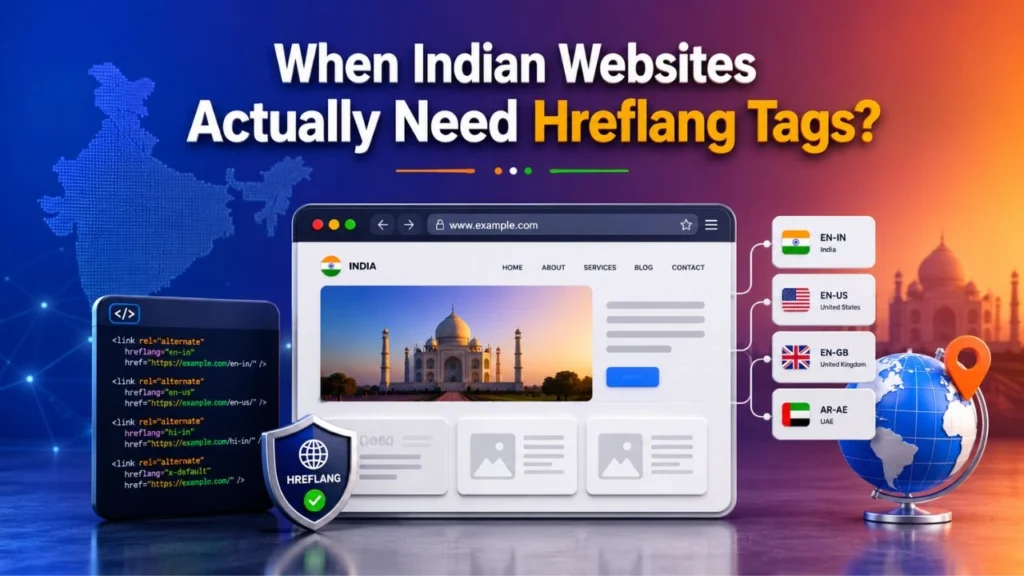
The main use case for hreflang tags India is clear: your website needs hreflang tags India when it has alternate page versions for different languages, countries, or regions.
Let’s understand the most common situations.
1. You Have Separate Pages for India and Other Countries
If your website has one page for Indian users and another page for users in another country, hreflang is useful.
For example:
| Page URL | Target Audience | Suggested Hreflang |
| /in/services/ | English users in India | en-IN |
| /us/services/ | English users in the US | en-US |
| /uk/services/ | English users in the UK | en-GB |
| /ae/services/ | English users in UAE | en-AE |
This setup is common for service websites, SaaS brands, ecommerce businesses, education portals, travel sites, and global businesses operating from India.
If your India page mentions INR pricing, Indian support hours, Indian delivery options, or India-specific services, while your US page has different details, hreflang tags India can help search engines understand the difference.
2. You Have Same Language but Different Regional Pages
A website can have multiple English pages, but each page may target a different country.
For example:
- English page for India
- English page for the US
- English page for the UK
- English page for Australia
The content may look similar, but pricing, contact details, spelling, shipping policy, taxes, legal terms, or service availability may change.
This is one of the most important use cases for hreflang tags India. Even if all pages are in English, hreflang can still help because the target region is different.
Google defines multi-regional sites as websites that target users in different countries or regions, and multilingual sites as websites that offer content in more than one language. Some websites can be both multi-regional and multilingual.
3. You Have Multilingual Content for Indian Users
India is multilingual, so many websites publish the same content in different Indian languages.
For example:
| Page URL | Target Audience | Suggested Hreflang |
| /en-in/loan-guide/ | English users in India | en-IN |
| /hi-in/loan-guide/ | Hindi users in India | hi-IN |
| /bn-in/loan-guide/ | Bengali users in India | bn-IN |
| /ta-in/loan-guide/ | Tamil users in India | ta-IN |
If these pages cover the same topic in different languages, hreflang can help search engines understand that they are alternate versions.
This is useful for blogs, ecommerce websites, education websites, finance websites, healthcare information portals, tourism websites, and government-style information pages.
4. You Target Indian Users Living Abroad
Some Indian websites serve Indian audiences in different countries. For example, a website may target Indian users in India, UAE, UK, Canada, and Australia with different service pages.
In this case, hreflang tags India can help if each location has a specific version of the page.
Example:
| Page URL | Target Audience | Hreflang |
| /in/ | India | en-IN |
| /ae/ | UAE | en-AE |
| /ca/ | Canada | en-CA |
| /au/ | Australia | en-AU |
You may also use x-default for a global selector page or a default page. Google’s x-default guidance is useful when no specific language or region version matches the user.
5. Your Regional Pages Are Competing With Each Other
Sometimes, Google may show the wrong regional page in search results.
For example:
- A US user sees your India pricing page.
- An Indian user sees your global page.
- A Hindi user sees the English version.
- A UK user sees the US page.
This can hurt user experience and conversions.
If your pages are truly alternate versions, hreflang can help reduce this confusion. It helps search engines understand which version is most suitable for each user.
Hreflang vs Canonical Tags: What Is the Difference?
Hreflang and canonical tags are often confused, but they solve different problems.
| Element | Purpose | Example Use |
| Hreflang | Shows the correct language or regional version | India page vs US page |
| Canonical | Shows the preferred URL among duplicate or similar pages | Filtered product page vs main product page |
| Robots.txt | Controls crawling access | Allow or block folders |
| Sitemap | Helps search engines discover URLs | Submit localized URLs |
A common mistake is canonicalizing all regional pages to one global page. This can create problems because it tells search engines that only one page is the preferred version.
For hreflang to work properly, each regional page should usually canonicalize to itself and reference the other alternate versions.
Best Ways to Implement Hreflang

There are three common ways to implement hreflang.
1. HTML Head Tags
This method adds hreflang tags directly in the page’s <head> section.
Example:
<link rel=”alternate” hreflang=”en-IN” href=”https://example.com/in/” />
<link rel=”alternate” hreflang=”en-US” href=”https://example.com/us/” />
<link rel=”alternate” hreflang=”x-default” href=”https://example.com/” />
This is useful for small websites or websites where you want page-level control.
2. XML Sitemap Hreflang
This method is useful for larger websites with many regional or language-based URLs.
It keeps hreflang data inside XML sitemaps instead of placing it manually on every page.
This is often better for ecommerce websites, large publishers, and multilingual sites with thousands of URLs.
3. HTTP Headers
HTTP header hreflang is useful for non-HTML files such as PDFs.
Most standard websites use HTML tags or XML sitemaps, but HTTP headers can be helpful in specific technical cases.
Practical Hreflang Checklist for Indian Websites
Before adding hreflang, use this checklist.
Pre-Implementation Checklist
- Identify all country versions.
- Identify all language versions.
- Check whether each page has a true alternate version.
- Map India pages to global or country-specific pages.
- Choose the correct language and country codes.
- Decide whether x-default is needed.
- Check whether all URLs are indexable.
- Review canonical tags.
- Check robots.txt configuration for international sites.
- Make sure your XML sitemap is clean and updated.
Technical Checklist
- Use self-referencing hreflang.
- Add return tags from every alternate page.
- Use absolute URLs.
- Avoid noindex pages in hreflang clusters.
- Avoid blocked pages.
- Avoid redirected URLs.
- Keep canonical and hreflang signals aligned.
- Validate the setup after implementation.
- Monitor indexing and performance by country.
Robots.txt Configuration for International Sites
Your hreflang setup can fail if important localized pages are blocked by robots.txt.
For example, this can be risky:
Disallow: /us/
Disallow: /hi/
Disallow: /sitemap-international.xml
If your /us/, /hi/, or international sitemap URLs are blocked, search engines may struggle to crawl and understand your alternate pages.
For proper robots.txt configuration for international sites, make sure you do not accidentally block:
- Country folders
- Language folders
- Hreflang sitemap files
- Important JavaScript or CSS files needed for rendering
- Localized product or service pages
- Regional pricing pages
Robots.txt is not just a basic file. For international SEO, it can directly affect crawlability, indexing, and hreflang discovery.
Hreflang Fixes in Google Search Console
Earlier, Google Search Console had an International Targeting report. That report has been deprecated, but Google still supports and uses hreflang tags.
So, how do you check hreflang issues now?
You can still use Google Search Console for important checks, but you may also need a crawler or hreflang validation tool for full cluster testing.
Useful Checks in Google Search Console
Use Google Search Console to check:
- Whether the page is indexed
- Whether Google can crawl the page
- Which canonical URL Google selected
- Whether your sitemap is submitted and processed
- Whether the page has indexing issues
- Which countries are bringing impressions and clicks
Workflow for Hreflang Fixes in Google Search Console
Here is a practical workflow:
- Inspect the affected URL.
- Check if Google can crawl it.
- Check if the page is indexed.
- Review the Google-selected canonical.
- Submit or update the relevant sitemap.
- Compare performance by country.
- Validate hreflang clusters using a crawler.
- Fix blocked, redirected, or non-indexable alternate URLs.
- Request indexing for important corrected pages when needed.
This makes hreflang fixes in Google Search Console more structured and less confusing.
Common Hreflang Mistakes Indian Websites Should Avoid
Hreflang is powerful, but it is also easy to break. Here are the mistakes you should avoid.
1. Using Wrong Language or Country Codes
Use proper language and region codes.
Correct examples:
- en-IN for English users in India
- hi-IN for Hindi users in India
- bn-IN for Bengali users in India
- ta-IN for Tamil users in India
- en-US for English users in the US
- en-GB for English users in the UK
Wrong examples:
- en-UK
- hin-IN
- bengali-IN
- india-en
Hreflang values should use a language code, and optional region codes should follow proper standards.
2. Missing Return Tags
If Page A points to Page B, Page B should also point back to Page A.
This is called a return tag. Without return tags, your hreflang setup may not be trusted properly.
3. Missing Self-Referencing Hreflang
Each page should include itself in the hreflang cluster.
For example, the India page should include:
<link rel=”alternate” hreflang=”en-IN” href=”https://example.com/in/” />
This helps complete the cluster.
4. Pointing Hreflang to Redirected URLs
Always use the final destination URL.
Do not point hreflang to a URL that redirects to another URL. This creates unnecessary confusion for crawlers.
5. Adding Hreflang to Noindex Pages
If a page is noindexed, you usually should not include it in a hreflang cluster.
Hreflang works best when all alternate pages are indexable and crawlable.
6. Blocking Alternate Pages in Robots.txt
As discussed earlier, blocking alternate pages can break discovery.
This is why robots.txt configuration for international sites should be checked before and after hreflang implementation.
7. Connecting Non-Equivalent Pages
Do not connect pages just because they are somewhat related. Hreflang should connect alternate versions of the same page.
If the page intent is different, do not add it to the same hreflang cluster.
Do You Need International Technical SEO Services?
You may not always need expert help. If your website has only a few pages and a simple language structure, you may be able to manage hreflang with basic technical knowledge.
But you may need international technical SEO services if your website has:
- Multiple country folders
- Multiple language versions
- Regional pricing pages
- Ecommerce product variations
- Large XML sitemaps
- Canonical conflicts
- Indexing issues
- Incorrect regional rankings
- JavaScript-rendered localized content
- Complex CMS limitations
- Multiple domains or subdomains
In such cases, hreflang is not just about adding tags. It becomes part of a larger international SEO system.
You need to check crawlability, indexability, canonical tags, sitemap structure, internal linking, localized content quality, and Search Console data together.
Hreflang Decision Table for Indian Websites
Use this table to decide whether your site needs hreflang.
| Website Situation | Need Hreflang? | Why |
| India-only English website | No | No alternate language or region version |
| India English and US English pages | Yes | Same language, different regions |
| English and Hindi versions | Yes | Different language versions |
| English and Bengali versions | Yes | Different language versions |
| One global English page | No | No alternate version exists |
| INR and USD pricing pages | Yes | Region-specific commercial intent |
| Blog gets traffic from other countries | No | Traffic alone does not require hreflang |
| Separate India, UAE, and UK pages | Yes | Multi-regional targeting |
This is the easiest way to understand hreflang tags India from a practical SEO point of view.
Conclusion
Hreflang is useful, but only when your website actually needs it. You should not add it just because your website receives international traffic or because competitors use it.
The real rule is simple: if your website has alternate versions of the same content for different countries, regions, or languages, hreflang can help. If your website has only one version for one audience, focus first on content quality, crawlability, indexing, internal linking, structured data, and technical SEO basics.
For hreflang tags India, the decision usually comes down to your website structure. If you have India-specific pages, US-specific pages, Hindi versions, Bengali versions, or other localized content, hreflang can improve how search engines understand your site. But if your site is India-only and single-language, hreflang is not necessary.
A strong implementation should also include proper international technical SEO services, clean robots.txt configuration for international sites, and a clear workflow for hreflang fixes in Google Search Console. When these elements work together, your website becomes easier for search engines to crawl, understand, and serve to the right audience.
FAQs
1. What are hreflang tags?
Hreflang tags are technical SEO annotations that tell search engines which page version is meant for a specific language or region.
2. Do Indian websites need hreflang tags?
Indian websites need hreflang tags when they have separate versions of the same page for different languages, countries, or regions.
3. Is hreflang needed for an India-only English website?
No. If the site targets only India and has one English version, hreflang is usually not needed.
4. Should I use en-INor only en?
Use en-IN when the page specifically targets English users in India. Use en when the page targets English speakers generally without a specific country focus.
5. Can hreflang improve SEO rankings?
Hreflang does not directly improve rankings. It helps search engines show the correct localized version of a page to the right audience.
6. What are common hreflang mistakes?
Common mistakes include missing return tags, wrong language codes, blocked URLs, incorrect canonical tags, redirected URLs, and non-equivalent page mapping.
7. How can I check hreflang fixes in Google Search Console?
You can use URL Inspection, indexing reports, sitemap reports, canonical checks, and performance data by country. Since the International Targeting report is deprecated, crawler-based hreflang validation is also useful.
8. Can robots.txt break hreflang?
Yes. If robots.txt blocks localized URLs or hreflang sitemaps, search engines may not crawl and understand the alternate page versions.
9. Do ecommerce websites in India need hreflang?
Ecommerce websites may need hreflang if they have separate product, category, pricing, or delivery pages for different countries or languages.
10. Should multilingual Indian blogs use hreflang?
Yes. If each blog post has equivalent versions in different languages, such as English, Hindi, Bengali, or Tamil, hreflang can help search engines understand those alternates.