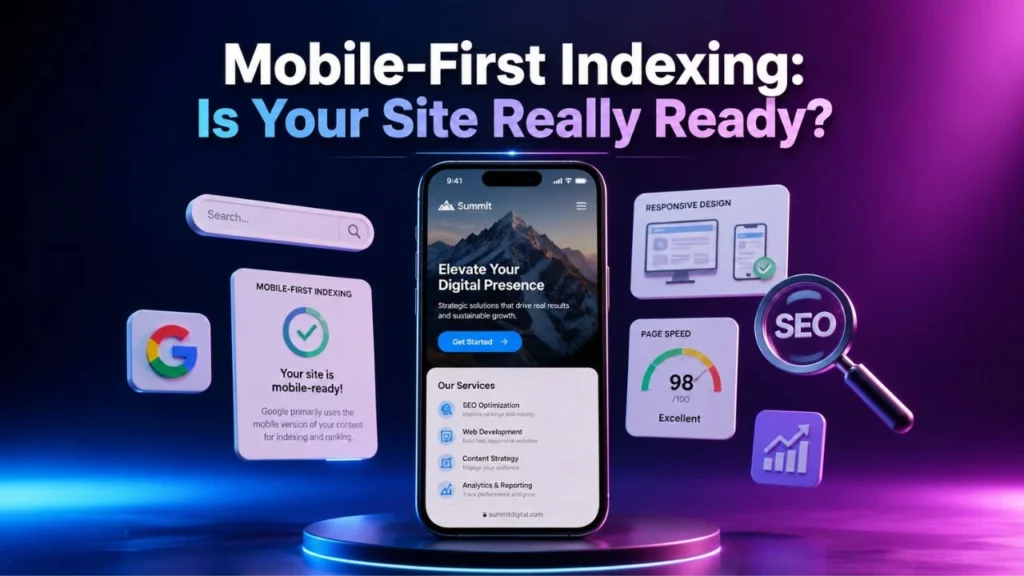
If your website still treats mobile as a secondary experience, you are already behind.
In 2026, mobile-first indexing is no longer a trend you can prepare for later. It is the standard reality of how Google evaluates most websites. Google’s guidance is clear: indexing and ranking rely on the mobile version of your content, crawled with the smartphone Googlebot. That means your mobile pages are not just a smaller version of your site. They are the version that search engines are judging first.
That is where many sites get into trouble. On the surface, they look mobile friendly. But once you examine the mobile content, internal links, structured data, speed, media loading, and crawl access, you start finding gaps. And those gaps can quietly limit visibility across search engines, AI-driven discovery systems, and voice-based search experiences. In practice, the websites that perform best are the ones that combine strong content with technical clarity, crawlability, and consistent page experience.
So, is your site really ready for mobile-first indexing?
Table of Contents
Why mobile-first indexing matters more than ever?
A lot of site owners still think mobile-first indexing simply means having a responsive design. That is only part of the picture. A responsive layout may help presentation, but it does not guarantee that your mobile pages offer the same content, metadata, structured data, and crawlable assets that exist on desktop. Google’s own documentation stresses the importance of content parity between mobile and desktop, including text, headings, images, videos, links, metadata, and structured data.
This matters because mobile-first indexing affects how your pages are discovered, understood, and evaluated. If the mobile version strips out useful copy, hides important internal links, delays loading critical media, or omits schema, you are giving search engines a weaker version of your site. That can reduce your chances of ranking well for both classic search results and the increasingly answer-driven search landscape where users ask longer, more specific questions. Google has also advised creators to focus on unique, satisfying, non-commodity content for its AI search experiences, which makes technical readiness and content quality work together rather than separately.
In simple terms, mobile-first indexing is no longer about checking a box. It is about making sure the version of your site that search engines actually use is complete, fast, accessible, and useful.
What a truly mobile-ready website looks like?
A site that is prepared for mobile-first indexing does not just shrink beautifully on a smaller screen. It keeps the same core value intact.
That means your most important content appears on mobile without being hidden behind weak UX patterns. Your headings remain clear. Your title tags and meta descriptions still support relevance. Your images are properly sized and include meaningful alt text. Your videos are visible and accessible on mobile. Your structured data reflects the actual page content. And your internal links still help users and crawlers move through the site naturally. Google specifically recommends making sure structured data, metadata, and primary content are equivalent across versions, because only relying on desktop completeness can leave mobile pages under-optimized.
Why Consistency Across Mobile Pages Builds Stronger SEO?
When these elements line up, your site becomes easier for both humans and crawlers to understand. That has obvious SEO benefits, but it also helps with GEO, AEO, and voice search optimization. AI systems and voice assistants tend to work better with pages that are clearly structured, directly written, and technically accessible. That is an inference from how search systems reward clarity, relevance, and structured understanding, and it is why mobile-first indexing should be treated as a foundation, not an isolated tactic.
The hidden reasons websites still fail mobile-first indexing
You may already have a mobile version of your site and still not be ready.
One common problem is content reduction. Many businesses trim paragraphs, FAQs, internal links, comparison tables, and supporting sections on mobile to create a “cleaner” experience. The result looks lighter, but the mobile page becomes less informative and less useful for indexing. Another issue is lazy loading done badly. If important images, videos, or text modules only appear after certain interactions, crawlers may not process them the way you expect. Google’s documentation warns site owners to make sure important content is available and supported properly on mobile.
Another major issue is performance. Slow mobile templates, oversized hero images, bloated JavaScript, third-party tag overload, and unstable layouts can damage the real experience visitors have with your site. That is exactly why a proper Core Web Vitals audit checklist matters. Current web.dev guidance identifies LCP, INP, and CLS as the stable Core Web Vitals, which makes them key signals for measuring real-world page experience.
Then there is crawl configuration. Some sites accidentally block essential CSS, JavaScript, image folders, or mobile-specific assets. Others misuse robots settings and assume robots.txt can remove pages from Google, even though Google explicitly says robots.txt is for crawl management, not deindexing. For page-level indexing control, noindex is the appropriate mechanism.
Why your Core Web Vitals audit checklist should be part of every mobile SEO review?

If you want your content to compete in 2026, performance cannot be an afterthought.
Why a Core Web Vitals Audit Checklist Matters?
A practical Core Web Vitals audit checklist helps you go beyond generic speed talk and focus on the elements that shape actual user experience.
Start With LCP
Start with LCP. If your largest element takes too long to render, the page feels slow even when smaller assets are already loaded.
Review INP for Better Interaction
Then review INP, because heavy scripts and delayed interaction handling can make mobile pages feel frustrating.
Assess CLS for Visual Stability
Finally, assess CLS so buttons, headings, banners, and media do not jump around while the page loads. These three metrics are the current stable Core Web Vitals, and improving them often leads to a cleaner, more usable mobile experience.
Your Core Web Vitals audit checklist should also include image compression, font loading strategy, render-blocking resource review, script cleanup, template-level testing, and post-fix validation. Do not treat performance as a one-time repair. It should be part of your ongoing mobile-first indexing workflow, especially after redesigns, plugin changes, or major content updates.
When your pages load faster, respond more smoothly, and stay visually stable, you are not just improving technical metrics. You are strengthening trust. And trust supports better engagement, lower friction, and stronger search visibility over time.
robots.txt and mobile crawl configuration: the part too many sites ignore
| Crawl Configuration Issue | What Happens | SEO Impact |
|---|---|---|
| Blocking CSS files | Search engines may not render the page properly | Weakens understanding of page layout and usability |
| Blocking JavaScript | Important content may not load correctly | Can reduce crawlability and indexing quality |
| Blocking image folders | Images may not be processed fully | Hurts visual content signals |
| Using robots.txt for deindexing | Pages may still appear in search | Causes confusion and improper index management |
| Different mobile and desktop directives | Search engines get mixed signals | Can create indexing inconsistency |
| Broken mobile URLs | Crawlers may fail to reach important pages | Reduces discoverability and crawl efficiency |
This is one of the most overlooked technical areas in modern SEO.
robots.txt and mobile crawl configuration directly influence whether search engines can access the resources needed to understand your pages properly. A robots.txt file tells crawlers which URLs they can access, mainly to manage crawling load. It is not meant to keep pages out of search results. That is a distinction many site owners miss, and it leads to avoidable indexing problems.
If your mobile pages rely on blocked scripts, blocked CSS, or blocked media assets, rendering can break. If your site uses different directives between desktop and mobile, you can create inconsistency at the exact point where mobile-first indexing expects consistency. And if you are still using separate mobile URLs, the risk grows because version mismatches become easier to introduce. Google’s mobile-first documentation continues to emphasize version parity and accessibility for mobile content and resources.
So when you review robots.txt and mobile crawl configuration, ask yourself a simple question: can a smartphone crawler access and understand the full page experience you want ranked? If the answer is unclear, you have work to do.
Why mobile-first technical SEO services are becoming more valuable?

Many businesses can write blog posts. Far fewer can diagnose why a mobile page loses visibility after a redesign, why schema disappears on smaller devices, or why a site that looks fine to humans still sends weak signals to search engines.
Why Mobile-first Technical SEO services are No Longer Optional?
That is why mobile-first technical SEO services are becoming more important. They focus on the layer most people never see clearly: crawling, rendering, parity, speed, structured data consistency, internal linking logic, and indexation quality. These services are not just about fixing errors. They help you strengthen the version of your site that modern search systems rely on first.
How mobile-first Technical SEO Services Strengthen Search Visibility?
Strong mobile-first technical SEO services usually include crawl diagnostics, template analysis, structured data validation, Core Web Vitals improvement, log-based insights, internal linking review, and checks for hidden or missing mobile content. When those pieces come together, your content gets a much better chance of performing well not just in standard blue-link search, but in AI-assisted summaries, answer extraction, and conversational search journeys too. That last point is an informed inference based on how search systems value content clarity, usefulness, and technical accessibility.
Is your site really ready for mobile-first indexing?
If your mobile pages carry the same core content, metadata, structured data, links, and media value as desktop, you are in a strong position. If your Core Web Vitals are under control, your resources are crawlable, and your mobile experience is built for real users rather than just compliance, you are much closer than most websites.
But if your mobile version still hides essential content, loads slowly, drops schema, weakens internal linking, or depends on flawed robots.txt and mobile crawl configuration, then the truth is simple: your site is not fully ready for mobile-first indexing yet.
The good news is that this is fixable.
Start with parity. Then review performance. Then validate structured data. Then inspect crawl access. And if you need deeper help, invest in mobile-first technical SEO services that focus on what search systems are actually using to judge your site.
Because in 2026, mobile-first indexing is not just about mobile SEO.
It is about whether your site is truly prepared to compete wherever search is happening next.
Conclusion
mobile-first indexing is no longer something you can treat as a future SEO task. In 2026, it is a core part of how your website is evaluated, understood, and ranked across modern search experiences. If your mobile site lacks content parity, struggles with speed, hides important resources, or creates crawl barriers, you are not just weakening rankings. You are also reducing your visibility across AI search, voice search, and answer-driven discovery.
That is why you need to look beyond mobile design alone. A site that is truly ready for mobile-first indexing delivers the same value on mobile that it promises on desktop. It loads fast, stays stable, remains crawlable, and gives both users and search engines a smooth experience. When you combine strong content with the right technical foundation, your website becomes much more capable of competing in search results that continue to evolve.
So, if you want stronger organic visibility in 2026, now is the time to review your mobile setup, follow a proper Core Web Vitals audit checklist, improve robots.txt and mobile crawl configuration, and invest in the right mobile-first technical SEO services where needed. The sites that win will not be the ones that simply look mobile friendly. They will be the ones that are genuinely ready for how search works now.
FAQs
01. What is mobile-first indexing in simple terms?
mobile-first indexing means search engines primarily use the mobile version of your page for indexing and ranking, rather than treating desktop as the main version. Google documents this clearly in its mobile-first guidance.
02. Does responsive design guarantee success with mobile-first indexing?
No. Responsive design helps, but it does not guarantee content parity, structured data parity, strong performance, or proper crawlability. Those factors still need to be checked separately.
03. Why is a Core Web Vitals audit checklist important?
A Core Web Vitals audit checklist helps you review LCP, INP, and CLS systematically so your mobile experience becomes faster, more stable, and easier to use. Those are the current stable Core Web Vitals.
04. What does robots.txt and mobile crawl configuration affect?
robots.txt and mobile crawl configuration affect whether search engine crawlers can access the URLs and assets needed to render and understand your mobile pages correctly. robots.txt manages crawl access, but it does not remove pages from Google on its own.
05. Are mobile-first technical SEO services worth it?
They can be, especially if your site has visibility issues tied to crawling, rendering, mobile parity, performance, or structured data consistency. Those are technical problems that often require specialized review.
06. How often should you audit your site for mobile-first indexing issues?
You should review your site after every major redesign, CMS update, theme change, or plugin installation. Even small technical changes can affect mobile content parity, crawlability, and performance.
07. Can popups and interstitial affect mobile-first indexing readiness?
Yes, intrusive popups can hurt the mobile user experience and may prevent users from accessing important content easily. If key content is blocked or delayed by overlays, your page may feel weaker both for users and search systems.
08. Can mobile-first indexing affect blog posts and service pages differently?
Yes. Blog posts often depend on content depth, headings, images, and internal links, while service pages rely more on clarity, crawlability, and conversion-friendly mobile UX. If either page type loses important elements on mobile, visibility can suffer.
09. Do mobile navigation menus affect SEO and indexing?
Yes. If your mobile menu hides important category pages, internal links, or key sections too deeply, search engines and users may have a harder time discovering valuable pages. A clean and crawl-friendly navigation structure supports stronger indexing.
10. What is the first thing to fix if my mobile site is underperforming in search?
Start by checking whether your mobile pages show the same main content, metadata, and internal links as desktop. After that, review speed, crawl access, and structured data to find the next biggest weakness.