
Getting visitors to your website is only half the battle. The real challenge begins when those visitors arrive but fail to take the action you want. Whether your goal is generating leads, increasing sales, collecting inquiries, or encouraging sign-ups, low conversion rates can undermine even the most successful marketing campaigns.
Many businesses invest heavily in SEO, paid advertising, social media marketing, and content creation to drive traffic. Yet they often struggle to understand why visitors leave without converting. Traditional analytics platforms can tell you what happened, but they rarely explain why it happened.
This is where Heatmap Insights become invaluable.
By using website heatmap analysis, marketers can visualize how visitors interact with webpages, uncover hidden usability problems, identify conversion barriers, and discover opportunities for conversion rate optimization. Instead of relying on assumptions, businesses can make decisions based on actual visitor behavior.
Modern user behavior heatmaps reveal where users click, how far they scroll, what attracts their attention, and where they encounter friction. Combined with behavioral analytics, session recordings, and conversion tracking insights, heatmaps provide a deeper understanding of the customer journey than standard analytics alone.
In this guide, we will explore how Heatmap Insights help uncover website conversion issues, improve user engagement tracking, optimize landing pages, strengthen CRO strategies, and ultimately increase conversions through data-driven decision-making.
Table of Contents
Why Do Website Visitors Leave Without Converting?
Visitors typically leave without converting because they encounter obstacles during their journey.
These obstacles often include:
- Poor call to action placement
- Confusing website navigation
- Website friction points
- Poor mobile user experience
- Slow page interactions
- Ineffective landing pages
- Conversion barriers within forms
- Lack of trust signals
- Complex checkout processes
- Unclear value propositions
The challenge is that many of these issues remain invisible until businesses conduct proper visitor interaction analysis.
Common Conversion Problems and Their Heatmap Signals
| Conversion Issue | Heatmap Signal | Potential Impact |
| Poor CTA Visibility | Low click activity on buttons | Lower conversions |
| Content Overload | Reduced scroll depth | Lower engagement |
| Navigation Problems | Random click behavior | Increased bounce rates |
| Mobile UX Issues | Repeated taps or rage clicks | Poor user satisfaction |
| Form Complexity | Interaction drop-offs | Reduced lead generation |
| Weak Messaging | Limited engagement zones | Lost opportunities |
Understanding these signals is the first step toward improving website conversion metrics and strengthening sales funnel performance.
What Are Heatmap Insights?
Heatmaps are visual representations of visitor behavior that use color-coded data to show where users focus their attention and how they interact with website elements.
Instead of reviewing endless rows of analytics reports, marketers can instantly see which sections of a page receive attention and which areas are ignored.
Heatmap Insights transform complex behavioral data into easy-to-understand visual patterns, helping marketers identify opportunities for optimization.
Understanding User Behavior Through Heatmaps
Every visitor arrives on your website with a specific goal. Some want information, some are comparing products, and others are ready to purchase.
Understanding user behavior through heatmaps allows marketers to see how visitors attempt to achieve these goals.
Rather than guessing why visitors leave, businesses can observe actual user interaction patterns and identify obstacles within the customer journey.
User behavior heatmaps help answer critical questions such as:
- Which elements attract the most attention?
- Where do users click most frequently?
- How far do visitors scroll?
- Which sections are ignored?
- Where do users abandon the page?
- Which content drives engagement?
These insights form the foundation of effective website optimization techniques.
Types of Heatmaps Used in Website Analysis
Different heatmap tracking tools offer various heatmap types, each providing unique perspectives on visitor behavior.
Click Heatmaps
Click heatmaps visualize where users click on a webpage.
For digital marketers, click heatmaps are especially useful because they reveal whether visitors interact with key conversion elements such as:
- Call-to-action buttons
- Navigation menus
- Product images
- Internal links
- Contact forms
Click heatmaps often expose poor call to action placement. Businesses may discover that visitors are clicking on non-clickable elements while ignoring actual conversion buttons.
These findings can significantly improve landing page optimization and lead generation optimization efforts.
Scroll Heatmaps
Scroll heatmaps show how far visitors move down a webpage.
Many marketers assume users consume all the content they publish. In reality, a large percentage of visitors may never reach important sections positioned lower on the page.
Scroll heatmaps help identify:
- User drop off points
- Content visibility issues
- Low conversion pages
- Website abandonment causes
When important information or conversion elements appear below the average scroll depth, conversions often suffer.
This makes scroll heatmaps an essential tool for user journey optimization and conversion funnel analysis.
Mouse Movement Heatmaps
Mouse movement heatmaps track cursor behavior across webpages.
Although cursor movement does not perfectly reflect eye tracking, it often provides valuable clues about visitor intent analysis and attention patterns.
Mouse movement heatmaps help marketers understand:
- Visitor interaction analysis
- User engagement tracking
- Areas attracting visual attention
- User navigation behavior
When combined with click and scroll data, mouse movement heatmaps contribute to a more complete website engagement analysis.
Why Heatmap Insights Matter for Conversion Rate Optimization?
Conversion rate optimization is ultimately about understanding user behavior and removing obstacles that prevent conversions.
Many organizations focus exclusively on traffic acquisition while overlooking the visitor experience after users arrive.
Heatmap Insights bridge this gap.
By revealing how visitors interact with webpages, heatmaps support effective CRO strategies and help marketers identify conversion bottlenecks before they negatively impact revenue.
Instead of redesigning pages based on assumptions, businesses can prioritize improvements backed by actual user behavior data.
This approach leads to more effective website performance analysis, stronger user experience analysis, and better conversion outcomes.
The Connection Between Heatmaps and CRO Strategies
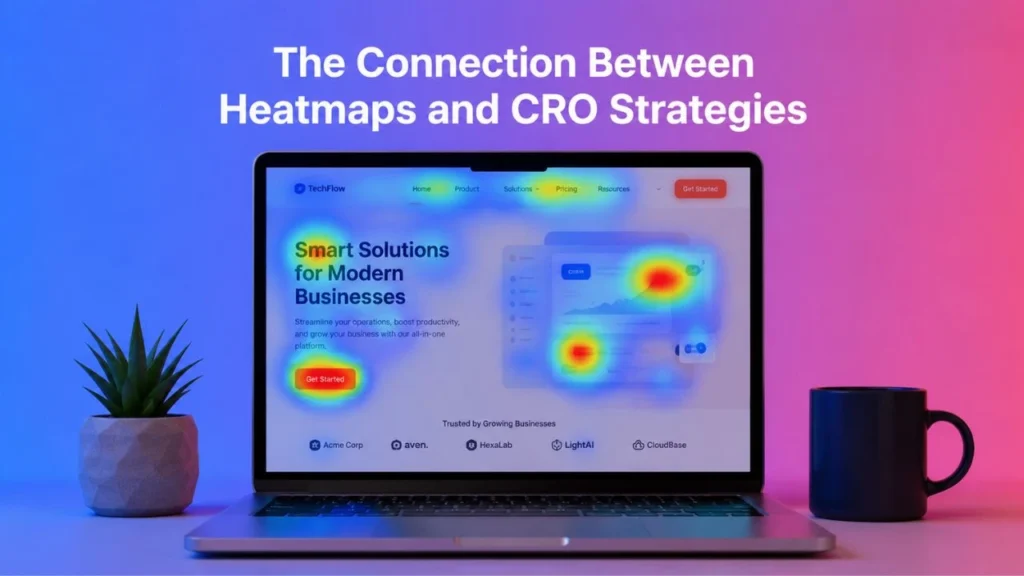
Successful CRO strategies depend on identifying friction points in UX.
Heatmaps help marketers uncover:
- Website friction points
- Conversion barriers
- Poor user interaction patterns
- User engagement metrics
- Website usability insights
These findings provide a clear roadmap for optimization efforts.
Rather than making random design changes, businesses can focus on modifications that directly address user behavior patterns.
The result is a more efficient conversion funnel, stronger customer journey mapping, and improved website conversion metrics.
How Heatmaps Support Data Driven Marketing?
Modern marketing decisions should be based on evidence rather than assumptions.
Heatmaps contribute to data driven marketing by providing visual proof of how visitors engage with content, navigation, forms, and calls to action.
Combined with digital experience analytics and behavioral analytics platforms, heatmaps provide actionable customer behavior insights that can improve:
- Landing page optimization
- Lead generation optimization
- Sales funnel performance
- User journey optimization
- Conversion tracking insights
As competition increases across digital channels, businesses that leverage Heatmap Insights gain a significant advantage because they understand not only what users do, but also why they do it.
How Website Heatmap Analysis Reveals Conversion Problems?
One of the biggest advantages of website heatmap analysis is its ability to expose issues that traditional analytics often overlook. Standard analytics tools can tell you how many visitors viewed a page, how long they stayed, and whether they converted. However, they rarely explain why visitors behaved a certain way.
Heatmaps bridge this gap by providing visual evidence of user behavior. They help marketers identify areas where visitors become confused, frustrated, distracted, or disengaged.
When businesses understand these behaviors, they can make informed improvements that directly support conversion rate optimization efforts.
Detecting Website Conversion Issues
Most website conversion issues are not caused by a lack of traffic. Instead, they stem from friction within the user journey.
Heatmaps make these problems easier to identify because they show exactly where visitors struggle.
Poor Call to Action Placement
Calls to action are often the most important elements on a webpage. Whether the goal is generating leads, encouraging purchases, or collecting inquiries, visitors must be able to find and interact with CTAs easily.
Unfortunately, many websites place CTAs in locations that receive little attention.
Heatmap Insights frequently reveal that:
- Visitors never scroll far enough to see the CTA.
- Users focus on surrounding content instead of the button.
- Important conversion elements blend into the page design.
- Competing elements distract users from taking action.
Click heatmaps are particularly useful for identifying poor call to action placement because they clearly show whether visitors are engaging with key conversion elements.
When CTA visibility improves, conversion rates often increase as well.
Website Friction Points
Website friction points refer to anything that makes it harder for visitors to achieve their goals.
Examples,
- Complicated forms
- Excessive information requests
- Slow-loading content
- Unclear navigation paths
- Distracting page layouts
Heatmaps often reveal friction points in UX by highlighting areas where visitors repeatedly click, hesitate, or abandon interactions.
For example, a form field generating excessive interaction may indicate confusion. Similarly, visitors clicking repeatedly on non-clickable elements may signal a design issue.
Identifying these website friction points allows marketers to create smoother user experiences and improve lead generation optimization.
Confusing Website Navigation
Navigation plays a critical role in helping visitors move through a website efficiently.
If visitors cannot find what they need, they often leave.
Heatmap data frequently uncovers signs of confusing website navigation, including:
- Random click patterns
- Repeated interactions with navigation elements
- Excessive movement between pages
- Poor engagement with important menu items
By understanding user navigation behavior, businesses can redesign menus, improve page structures, and create more intuitive pathways.
Better navigation typically leads to stronger user engagement tracking results and improved sales funnel performance.
Identifying High Bounce Rate Causes
A high bounce rate often indicates that visitors are not finding what they expected. While bounce rate metrics highlight a problem, heatmaps help explain the cause.
Common high bounce rate causes revealed through heatmaps include:
- Poor content structure
- Weak visual hierarchy
- Slow-loading sections
- Irrelevant messaging
- Lack of engaging content
- Hidden conversion opportunities
Visitor behavior tracking provides valuable insights into how users interact with content before leaving.
For instance, scroll heatmaps may show that most visitors abandon a page within the first few sections. This suggests that the introduction, design, or value proposition may not be capturing attention effectively.
Understanding these behaviors allows marketers to address engagement problems before they impact conversions.
Heatmap Insights for Landing Page Optimization
Landing pages are often the first touchpoint between a business and potential customers.
Even small usability issues can dramatically affect conversion performance.
Heatmap Insights help marketers understand how visitors engage with landing pages and identify opportunities for improvement.
Heatmap Analysis for Landing Pages
Heatmap analysis for landing pages focuses on understanding visitor interactions with critical conversion elements.
Marketers can evaluate:
- Headline engagement
- CTA visibility
- Content consumption patterns
- Form interactions
- User drop off points
This information helps identify why certain landing pages perform better than others.
For example, if visitors engage heavily with a headline but fail to interact with the CTA, the issue may involve message alignment rather than traffic quality.
Understanding these patterns helps improve landing page optimization efforts and reduce conversion barriers.
Understanding User Interaction Patterns
Every successful landing page is built around visitor needs.
Heatmaps reveal user interaction patterns that help marketers understand:
- Which sections attract attention
- Which elements users ignore
- How visitors consume content
- Where engagement declines
These insights support more effective visitor interaction analysis and allow marketers to prioritize improvements based on real user behavior.
Over time, this approach leads to better user engagement metrics and stronger conversion outcomes.
Optimizing User Journeys With Heatmaps
The path visitors take from arrival to conversion is known as the user journey. Unfortunately, many websites contain obstacles that disrupt this journey.
Heatmap Insights help marketers identify:
- Unnecessary steps
- Navigation confusion
- Content gaps
- Conversion barriers
- Website usability issues
Optimizing user journeys with heatmaps allows businesses to simplify interactions and guide visitors more effectively toward conversion goals.
When users encounter fewer obstacles, they are more likely to complete desired actions.
Using Heatmaps to Analyze the Conversion Funnel
- Every conversion funnel contains multiple stages.
- Visitors may move from awareness to consideration and eventually to action. However, many users abandon the process before reaching the final step.
- Conversion funnel analysis helps marketers understand where these losses occur.
Understanding Sales Funnel Performance
Sales funnel performance depends on how effectively visitors progress through each stage of the customer journey.
Heatmaps provide visibility into:
- User engagement levels
- Interaction patterns
- Navigation behavior
- Funnel progression
These insights help marketers identify weaknesses that may be affecting overall conversion performance.
Finding Conversion Bottlenecks
Conversion bottlenecks are areas where visitors encounter friction that prevents them from moving forward.
Common bottlenecks include:
- Long forms
- Complex navigation
- Poor content structure
- Weak CTAs
- Mobile usability issues
Heatmap Insights make these bottlenecks easier to identify because they show exactly where visitors hesitate or abandon the process.
This information is essential for improving conversion rate optimization initiatives.
Improving Lead Generation Optimization
Lead generation often depends on forms, contact pages, and conversion-focused landing pages.
Heatmaps help marketers understand:
- Which form fields create friction
- Which content drives engagement
- Which CTAs generate clicks
- Which pages contribute most to conversions
By analyzing these interactions, businesses can refine lead generation optimization strategies and improve overall conversion performance.
The result is a more efficient sales process, stronger customer engagement, and improved marketing ROI.
Combining Heatmaps With Session Recordings
Heatmaps provide an excellent overview of visitor behavior, but they do not always tell the complete story. While heatmaps show where users click, scroll, and engage, they cannot fully explain the sequence of actions that led to those interactions.
This is why many marketers combine heatmaps with session recordings.
Together, these tools provide a deeper understanding of user behavior and help businesses uncover hidden conversion barriers that may otherwise go unnoticed.
Why Heatmaps Alone Are Not Enough?
Heatmaps aggregate data from multiple visitors and display overall interaction trends. This is useful for identifying patterns, but it can sometimes mask individual user experiences.
For example, a click heatmap may show that visitors are engaging with a specific section of a page. However, it will not reveal whether users struggled before reaching that section or whether they encountered obstacles afterward.
Session recordings fill this gap by allowing marketers to observe complete visitor journeys.
This combination creates a more comprehensive approach to website engagement analysis and visitor behavior tracking.
Session Recordings and User Session Analysis
Session recordings capture individual visitor interactions in real time.
Marketers can watch how users:
- Navigate through pages
- Interact with forms
- Click buttons
- Scroll through content
- Encounter usability challenges
- Exit the website
User session analysis helps answer questions such as:
- Why did visitors abandon a form?
- What caused users to leave a landing page?
- Which elements created confusion?
- Where did visitors encounter friction?
When combined with Heatmap Insights, session recordings provide a clearer understanding of customer behavior insights and website conversion issues.
Behavioral Analytics Best Practices
Businesses that rely on behavioral analytics often gain a competitive advantage because they understand how users interact with their websites.
To maximize results:
Analyze High-Traffic Pages First
- Focus on pages that receive significant traffic but generate limited conversions.
- These pages often contain hidden conversion barriers that can be identified through visitor interaction analysis.
Segment Visitors by Device
- User behavior frequently differs between desktop and mobile devices.
- A page that performs well on desktop may experience significant problems on mobile.
- Device segmentation helps uncover poor mobile user experience issues that affect conversion rates.
Review Conversion Paths
- Analyze the journey taken by visitors who convert compared with those who leave.
- This process helps identify successful user interaction patterns and opportunities for optimization.
Combine Multiple Data Sources
The strongest insights come from combining:
- Heatmaps
- Session recordings
- Website conversion metrics
- User engagement metrics
- Conversion tracking insights
This approach creates a more accurate picture of website performance and user behavior.
How Heatmaps Help Solve Cart Abandonment Issues?
- Cart abandonment remains one of the biggest challenges in ecommerce and online lead generation.
- Many visitors demonstrate strong purchase intent but leave before completing the final step.
- Heatmap Insights help marketers understand why this happens.
Understanding Cart Abandonment Behavior
Visitors abandon carts for many reasons, including:
- Unexpected costs
- Complicated checkout processes
- Poor mobile experiences
- Lack of trust signals
- Lengthy forms
- Technical issues
Traditional analytics can identify abandonment rates, but heatmaps reveal where friction occurs during the checkout process.
This information supports more effective conversion rate optimization initiatives.
Heatmap Signals That Indicate Checkout Problems
Several heatmap patterns often indicate cart abandonment issues.
Excessive Clicking
Repeated clicking on the same element may indicate confusion or frustration.
Visitors may expect a button to perform a certain action but receive unexpected results.
Limited Scroll Activity
Low engagement with checkout pages may indicate that users are not reaching critical information.
Form Abandonment
Visitors frequently abandon forms when they encounter unnecessary complexity.
Heatmaps can highlight specific fields causing hesitation or drop-offs.
Mobile Friction
Mobile visitors often experience different challenges than desktop users.
Heatmaps can reveal usability problems that negatively affect mobile conversion rates.
Reducing Checkout Friction
Businesses can reduce abandonment by:
- Simplifying checkout forms
- Improving page speed
- Providing clear pricing information
- Enhancing trust signals
- Optimizing mobile experiences
These improvements strengthen lead generation optimization and support higher conversion rates.
Uncovering Website Usability Issues Through Heatmaps
- Website usability has a direct impact on conversion performance.
- Visitors expect websites to be intuitive, fast, and easy to navigate. When usability problems occur, conversions often decline.
- Heatmaps provide valuable website usability insights that help businesses identify and address these issues.
Website Usability Testing Using Heatmaps
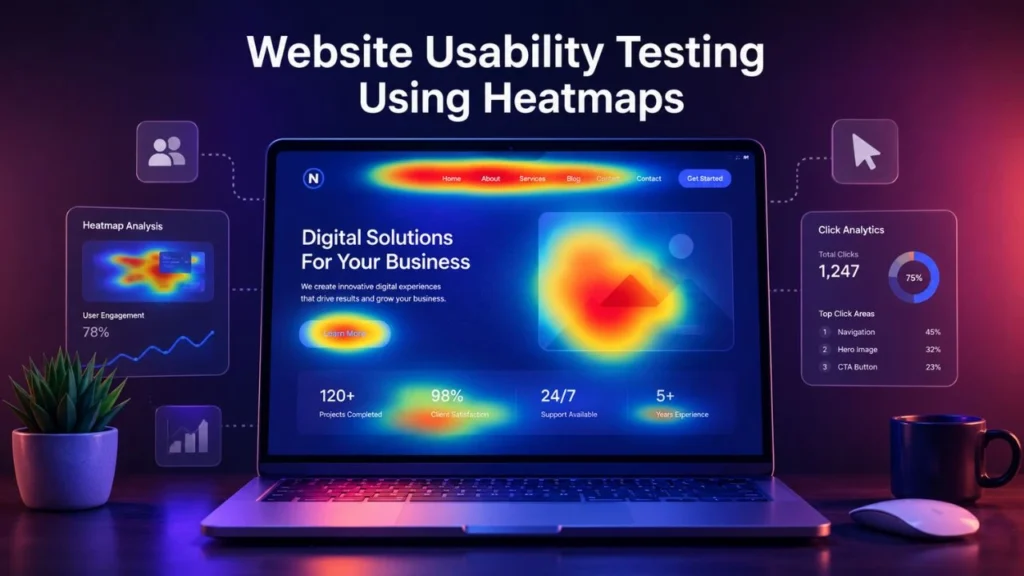
- Traditional website usability testing often involves surveys, interviews, and user observation sessions.
- Heatmaps complement these methods by providing large-scale behavioral data.
They reveal:
- Navigation challenges
- Content engagement patterns
- Interaction obstacles
- Friction points in UX
- User drop off points
This information helps businesses improve overall website usability.
Website Usability Insights That Improve Conversions
Heatmap data often uncovers usability problems such as:
Hidden Navigation Elements
Visitors may struggle to find important pages if navigation is unclear.
Poor Content Layout
Content that is difficult to scan can reduce engagement and increase abandonment rates.
Weak Visual Hierarchy
Visitors need clear guidance regarding where to focus their attention.
Mobile Design Issues
Mobile usability problems remain one of the most common causes of lost conversions.
Addressing these issues helps improve user engagement tracking and overall website performance analysis.
Improving User Experience Analysis
User experience analysis should focus on identifying barriers that prevent visitors from achieving their goals.
Heatmaps contribute valuable insights by highlighting:
- Visitor intent analysis
- User navigation behavior
- Engagement trends
- Website friction points
- Conversion barriers
When businesses use these insights effectively, they create smoother experiences that encourage conversions.
How Heatmap Insights Improve Conversion Rates?
At their core, Heatmap Insights help businesses make better decisions.
Instead of relying on assumptions, marketers can use real behavioral data to optimize webpages, improve user journeys, and strengthen conversion performance.
Using Heatmaps to Increase Conversions
Heatmaps support conversion growth by helping marketers:
- Improve CTA visibility
- Enhance landing page design
- Reduce friction
- Optimize navigation
- Strengthen content placement
These improvements create a more seamless customer experience and encourage visitors to take action.
Identifying Conversion Barriers With Heatmaps
Conversion barriers often remain hidden until businesses examine visitor behavior closely.
Heatmaps help identify:
- Low conversion pages
- Poor call to action placement
- Website friction points
- Confusing website navigation
- Ineffective landing pages
Removing these barriers can significantly improve website conversion metrics.
Improving Conversion Rates With Behavioral Data
Behavioral data allows marketers to make informed decisions rather than relying on guesswork.
When businesses consistently analyze:
- User behavior heatmaps
- Session recordings
- User engagement metrics
- Conversion tracking insights
They can continuously refine their websites and improve performance over time.
This ongoing process is one of the most effective website optimization techniques available today.
Best Practices for Heatmap Data Interpretation
Collecting heatmap data is only the first step. The real value comes from accurate heatmap data interpretation and turning insights into meaningful actions.
Many businesses make the mistake of focusing solely on visual patterns without considering the broader context of visitor behavior. To maximize the value of Heatmap Insights, marketers should follow a structured analysis process.
Avoiding Common Analysis Mistakes
Assuming Every Click Represents Interest
Not all clicks indicate positive engagement. Sometimes visitors click because they are confused or expect an element to perform an action.
Always analyze click behavior alongside session recordings and user session analysis.
Ignoring Device Differences
Desktop and mobile users often behave differently.
A page that performs well on desktop may experience significant usability issues on mobile devices. Segmenting data by device helps uncover poor mobile user experience problems that might otherwise go unnoticed.
Focusing on Individual Metrics
Heatmaps work best when combined with other data sources.
Reviewing website conversion metrics, user engagement metrics, and conversion tracking insights alongside heatmaps creates a more accurate picture of visitor behavior.
Overlooking Visitor Intent
Different visitors arrive with different goals.
Understanding visitor intent analysis helps marketers interpret behavioral patterns correctly and avoid making unnecessary changes.
Creating Actionable Website Engagement Analysis
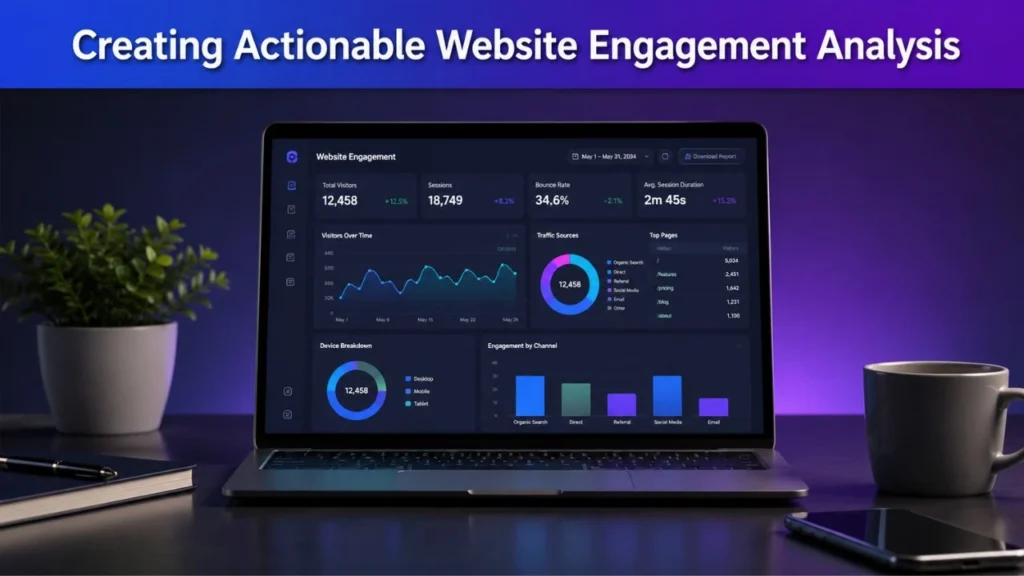
Successful optimization begins with identifying the areas that have the greatest impact on conversions.
A practical approach includes:
- Identify low conversion pages.
- Review click heatmaps for engagement patterns.
- Analyze scroll heatmaps to understand content consumption.
- Examine mouse movement heatmaps for attention trends.
- Watch session recordings to validate findings.
- Prioritize high-impact improvements.
- Measure results after implementation.
This process ensures that optimization efforts remain focused on measurable business outcomes.
Measuring Success After Optimization
After implementing changes, marketers should track performance indicators such as:
| Metric | Purpose |
| Conversion Rate | Measures overall effectiveness |
| Bounce Rate | Indicates engagement quality |
| Form Completion Rate | Tracks lead generation performance |
| Average Session Duration | Measures visitor engagement |
| Scroll Depth | Evaluates content consumption |
| CTA Click Rate | Assesses call-to-action effectiveness |
| Revenue Per Visitor | Measures business impact |
Regular monitoring helps ensure that optimization efforts continue delivering positive results.
Future of Heatmaps in Digital Marketing
As digital experiences become more sophisticated, heatmap technology continues to evolve.
Modern platforms now integrate artificial intelligence, predictive analytics, and advanced behavioral tracking to provide even deeper insights into customer behavior.
AI Powered Visitor Behavior Tracking
Artificial intelligence is transforming visitor behavior tracking by helping marketers:
- Predict user intent
- Identify conversion opportunities faster
- Detect usability problems automatically
- Prioritize optimization efforts
- Generate actionable recommendations
AI-powered analysis enables businesses to make smarter decisions while reducing the time required for manual evaluation.
Advanced Digital Experience Analytics
Future digital experience analytics platforms are expected to combine:
- User behavior heatmaps
- Session recordings
- Customer journey mapping
- Behavioral analytics
- Predictive modeling
- Conversion tracking insights
This integrated approach will provide marketers with a more comprehensive understanding of how visitors interact with digital properties.
As competition grows across digital channels, businesses that leverage these advanced capabilities will be better positioned to improve user engagement and conversion performance.
Conclusion
Driving traffic to a website is important, but traffic alone does not guarantee results. If visitors fail to engage, convert, or complete desired actions, businesses need to understand why.
This is where Heatmap Insights become one of the most valuable tools in a digital marketer’s toolkit.
By combining website heatmap analysis, user behavior heatmaps, session recordings, visitor interaction analysis, and behavioral analytics, businesses gain a clear understanding of how visitors interact with their websites. These insights make it easier to identify website conversion issues, uncover website usability insights, eliminate friction points in UX, and improve conversion rate optimization efforts.
Whether the goal is lead generation optimization, landing page optimization, sales funnel performance improvement, or overall user journey optimization, heatmaps provide actionable data that supports smarter decision-making.
The most successful digital marketing strategies are built on evidence, not assumptions. Organizations that consistently analyze visitor behavior, remove conversion barriers, and optimize experiences based on real user data are far more likely to achieve sustainable growth.
If you want to understand why website visitors leave without converting and discover opportunities to improve conversion rates with behavioral data, Heatmap Insights should be a core part of your optimization strategy.
Frequently Asked Questions
What are Heatmap Insights in digital marketing?
Heatmap Insights are visual representations of user behavior that help marketers understand how visitors interact with webpages. They reveal clicks, scrolling patterns, engagement levels, and areas of friction that may affect conversions.
How do click heatmaps improve conversions?
Click heatmaps show where visitors click most frequently. This information helps businesses optimize call-to-action placement, improve navigation, and remove distractions that may reduce conversions.
What is the difference between click heatmaps and scroll heatmaps?
Click heatmaps track interaction activity, while scroll heatmaps measure how far visitors move down a page. Together, they provide a more complete understanding of user behavior.
How can heatmap analysis help identify conversion barriers?
Heatmap analysis highlights areas where visitors hesitate, abandon pages, or ignore important content. These patterns help marketers identify and remove conversion barriers.
Are heatmaps useful for landing page optimization?
Yes. Heatmaps provide valuable data about visitor engagement, CTA visibility, content consumption, and user interaction patterns, making them highly effective for landing page optimization.
How do session recordings complement heatmap analysis?
Session recordings show individual visitor journeys, while heatmaps display aggregated behavior patterns. Combining both tools creates a deeper understanding of website performance.
Can heatmaps reduce cart abandonment issues?
Yes. Heatmaps help identify checkout friction, confusing elements, form problems, and mobile usability issues that contribute to cart abandonment.
Which website conversion metrics should marketers track alongside heatmaps?
Marketers should monitor conversion rate, bounce rate, CTA click rate, form completion rate, average session duration, revenue per visitor, and scroll depth.
How do heatmaps improve user journey optimization?
Heatmaps reveal where visitors encounter friction, become confused, or abandon the conversion path. This information helps businesses create smoother and more effective customer journeys.
What are the best heatmap tracking tools for CRO?
The best heatmap tracking tools are those that provide click heatmaps, scroll heatmaps, mouse movement heatmaps, session recordings, behavioral analytics, and conversion-focused reporting capabilities.