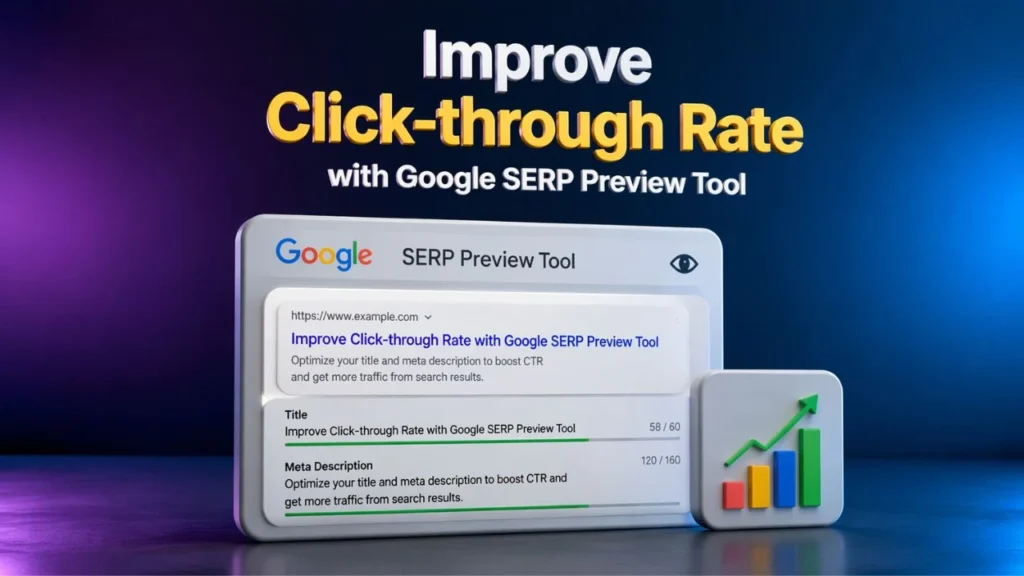
Getting impressions in search results is only half the job. The real win happens when people actually click your page. That is why snippet optimization matters so much. If your title and meta description do not look appealing, even a well-ranked page can lose traffic to stronger competitors.
A google serp preview tool helps you see how your page may appear in search results before you publish or update it. That gives you a practical advantage. You can refine your title, improve your meta description, and create a snippet that feels more relevant, trustworthy, and click-worthy. When you use a google serp preview tool well, you are not just polishing metadata. You are improving how your content competes in search, AI search, and voice-driven discovery.
Today, marketers need content that performs across traditional search engines, AI overviews, answer engines, and smart assistants. That is where a google serp preview tool becomes even more useful. It supports search visibility, helps with stronger messaging, and fits naturally into a strategy built around Free SEO tools, smarter content structure, and user intent.
If your goal is to attract more qualified visitors, improve CTR, and strengthen your visibility across modern search experiences, this guide will show you how to do it. And as you read, keep this practical step in mind: Try SERP Simulator before publishing your next page.
Table of Contents
What Is a Google SERP Preview Tool?
A google serp preview tool is a tool that shows you how your title tag, URL, and meta description may appear in search results. Instead of publishing blindly and hoping your snippet looks right, you can check it in advance and improve it before it goes live.
Many people also search for this as a SERP simulator tool, and the idea is very similar. It gives you a visual preview of how your page listing may look on search engine results pages. That matters because even small changes in wording can influence whether someone clicks your result or scrolls past it.
A google serp preview tool is especially useful when you want to:
- avoid title truncation
- write sharper meta descriptions
- improve keyword placement
- align snippets with user intent
- create stronger first impressions in search
In simple terms, a google serp preview tool helps you turn a basic search listing into a stronger traffic opportunity.
Why Click-through Rate Matters More Than Many People Think?
Click-through rate, or CTR, tells you how often people click your listing after seeing it in search results. A low CTR often signals that your snippet is not compelling enough, even if the page is ranking fairly well.
That is why a google serp preview tool is so important. It helps you improve the part of SEO that searchers notice first. Before they read your article, trust your brand, or visit your site, they judge your result by its title, description, and overall relevance.
Higher CTR can help you in several ways:
1. It brings more traffic from existing rankings
You do not always need a higher position to get more clicks. Sometimes you simply need a better snippet. A google serp preview tool makes that possible by helping you improve the message people see first.
2. It improves audience quality
When your title and description clearly match user intent, the people who click are more likely to be genuinely interested. That often leads to better engagement.
3. It supports AI era discoverability
Modern search is changing quickly. Generative Engine Optimization focuses on helping content become more understandable and useful in AI-driven results. A clear snippet and strong metadata help reinforce topical relevance.
4. It strengthens answer-first visibility
A strong snippet also supports Answer Engine Optimization. If you want a simple Explanation of AEO, it is the process of structuring content so answer engines, AI tools, and voice assistants can understand and present it more effectively.
In short, if you want more clicks without relying only on rankings, a google serp preview tool deserves a regular place in your workflow.
Key SERP Elements That Influence CTR
A google serp preview tool works best when you understand which snippet elements shape user decisions.
Title tag
Your title tag is usually the most visible and most persuasive part of the listing. It should be clear, relevant, and benefit-driven. Put your main intent early, and make the value obvious.
Meta description
A weak meta description can waste a strong ranking opportunity. Your description should tell readers what they will gain by clicking. It should feel direct, useful, and aligned with the page promise.
URL structure
Clean URLs improve readability and trust. A short, relevant URL often feels more user-friendly than one filled with unnecessary parameters.
Structured data and schema
Schema can improve how search engines understand your page. Using a free schema generator tool can make it easier to add structured markup correctly, especially for FAQs, articles, and other rich result opportunities.
Trust signals
Users often click listings that feel credible. Your brand reputation, title clarity, and even your overall Backlink Profile can influence how trustworthy your result appears.
That is why snippet optimization should not be treated as an isolated task. A google serp preview tool works best when it is supported by strong content, clear structure, and trust-building signals.
How to Use a Google SERP Preview Tool to Improve CTR?
If you want practical results, follow a simple process each time you publish or update a page.
Step 1: Start with the page intent
Before opening a google serp preview tool, identify exactly what the searcher wants. Are they looking for a definition, a comparison, a checklist, or a solution? Your snippet has to match that intent.
Step 2: Draft a strong title
Write a title that is clear, useful, and specific. Avoid vague phrasing. A good title answers the searcher’s silent question: why should I click this result?
Step 3: Preview it in a SERP simulator tool
Now test your title in a SERP simulator tool. See whether it looks balanced, whether important words appear early, and whether the message feels competitive.
Step 4: Write a persuasive meta description
Your meta description should support the title, not repeat it. It should quickly explain the value of the page and invite the click naturally.
Step 5: Check readability and truncation
A google serp preview tool helps you spot titles or descriptions that may be too long. If key phrases disappear, your click potential may drop.
Step 6: Add structured enhancements
Where relevant, use a free schema generator tool to build useful markup. This can improve how search engines interpret your page and may support enhanced search appearances.
Step 7: Publish, measure, and refine
After publishing, monitor how the page performs. If impressions are solid but clicks are low, revisit the snippet. A google serp preview tool is not just for new content. It is also great for improving older pages.
At this stage, the smartest next action is simple: Try SERP Simulator before finalizing your metadata.
Best Practices for Better Search Snippets
To get more value from a google serp preview tool, focus on these best practices.
Match the title to the exact search intent
Searchers click results that feel instantly relevant. If your wording matches their need, your CTR can improve.
Use the main keyword naturally
Your primary keyword should appear where it makes sense, but never in a forced way. A google serp preview tool helps you check whether the snippet still feels natural.
Lead with clarity, not cleverness
Creative titles can work, but clarity usually wins more clicks. People want immediate confidence that your page has the answer.
Add benefit-driven language
Words that suggest value, improvement, speed, or clarity often perform better than bland phrasing.
Think beyond traditional SEO
Today, your content should also support Generative Engine Optimization and Answer Engine Optimization. That means being concise, structured, and easy to interpret across different search interfaces.
Use supporting assets on your site
If you have an AI Glossary or curated SEO Resources, link them naturally within your article ecosystem. This improves topical depth and supports better user journeys.
A google serp preview tool becomes more powerful when it is part of a wider strategy, not just a one-time edit.
Common Mistakes That Reduce Click-through Rate
Even good content can underperform when the snippet is weak. Here are some common mistakes to avoid.
Writing titles that are too generic
A generic title does not give readers a reason to choose you over competing results.
Overstuffing keywords
Repeating the same phrase too aggressively makes the snippet feel unnatural. A google serp preview tool should help you improve wording, not stuff keywords.
Ignoring the meta description
Many pages lose clicks because the title is decent but the description adds no value.
Making promises the page cannot keep
A high CTR with poor content alignment often leads to weak engagement. Your snippet should attract the right click, not just any click.
Forgetting AEO and voice search behavior
A weak Explanation of AEO or poorly structured content can limit your discoverability in answer engines and voice experiences.
Failing to review older content
A google serp preview tool is also useful for refreshing existing blog posts that are already getting impressions but missing clicks.
How This Fits Into a Broader SEO and Digital Growth Strategy?
A google serp preview tool helps with CTR, but real growth happens when snippet optimization is connected to a broader strategy.
For example, businesses that invest in Digital Marketing Services in Kolkata often need more than rankings. They need stronger visibility, better click quality, and improved lead generation. Snippet optimization supports all of that.
The same applies to brands working on Google Penalty Recovery Services. When a site is recovering visibility, every click matters. Improved snippets can help make the most of regained impressions.
This also connects with Pay Per Click Management. While paid search and organic search are different channels, both depend on compelling copy, relevance, and strong click intent. Learning from one can improve the other.
And when you combine Free SEO tools, a google serp preview tool, a free schema generator tool, useful SEO Resources, and a strong AI Glossary, you build a content system that is more competitive across search, AI answers, and voice discovery.
Who Should Use a Google SERP Preview Tool?
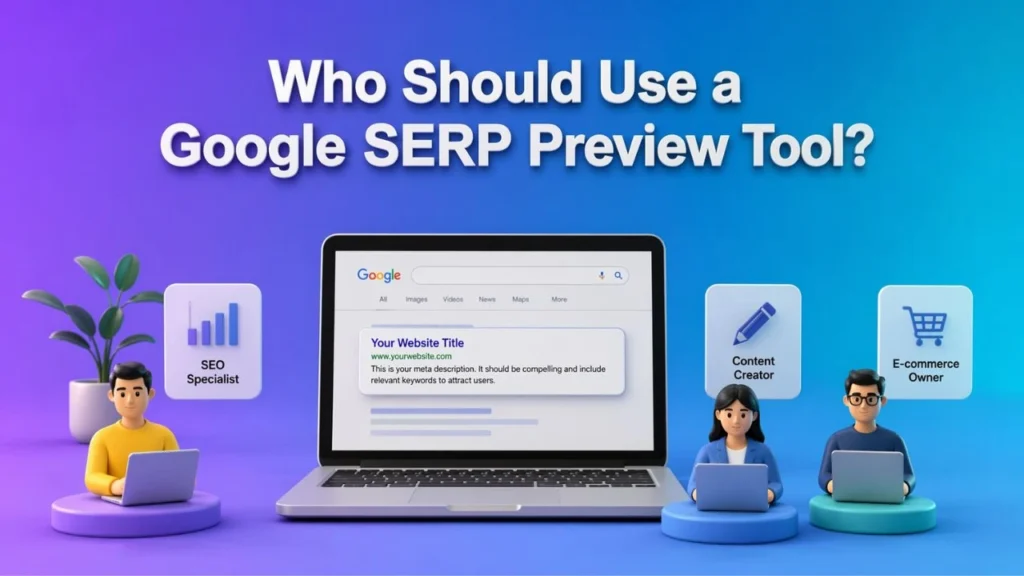
A google serp preview tool is valuable for almost anyone publishing content online.
Bloggers
If you want more clicks without rewriting entire articles, snippet improvements are one of the fastest wins.
SEO professionals
For SEOs, a google serp preview tool supports better metadata testing and stronger CTR optimization.
Content marketers
Content teams can use it to align titles and descriptions with search intent before publishing.
Agencies
Agencies managing local, national, or niche campaigns can use a google serp preview tool across multiple clients and industries.
Businesses investing in organic and paid growth
Whether you focus on SEO, Pay Per Click Management, or a mix of both, better snippets help improve visibility and engagement.
How to Make This Content More SEO, GEO, AEO, and Voice Search Friendly
If you want your blog post to compete across modern platforms, keep these principles in mind:
- answer questions directly under clear subheadings
- use concise paragraphs for easier scanning
- include an FAQ section for answer-first discovery
- support content with schema where relevant
- build topical relevance through internal links to AI Glossary and SEO Resources
- write naturally so voice assistants can read the content smoothly
- keep your primary keyword consistent but human
A google serp preview tool supports all of this because it improves the first layer of discoverability: the snippet itself.
FAQs
What is a google serp preview tool?
A google serp preview tool shows how your page title, URL, and meta description may appear in search results. It helps you improve your snippet before publishing.
How does a SERP simulator tool improve CTR?
A SERP simulator tool helps you test whether your title and meta description look clear, relevant, and compelling enough to attract more clicks.
Can a free schema generator tool improve search visibility?
Yes, a free schema generator tool can help you create structured data that improves how search engines understand your content and may support richer search appearances.
Why is Answer Engine Optimization important today?
Answer Engine Optimization matters because users now search through AI tools, voice assistants, and answer-driven interfaces. Well-structured content is easier for these systems to interpret and present.
What is Generative Engine Optimization?
Generative Engine Optimization is the practice of making content more understandable, useful, and retrievable in AI-powered search experiences.
Do Free SEO tools still help in a competitive market?
Yes, Free SEO tools can still deliver major value when used well. A google serp preview tool, technical auditing tools, and schema tools can improve how your content performs without making your workflow complicated.
Does Backlink Profile affect click-through rate?
Your Backlink Profile affects overall trust and authority, which can indirectly influence rankings and user confidence. While it is not the snippet itself, it supports broader SEO performance.