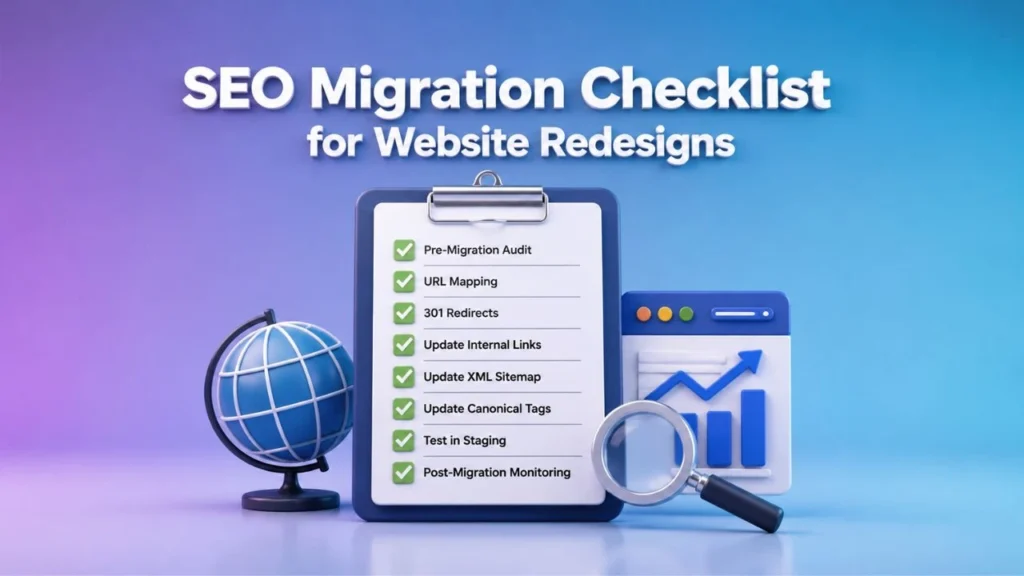
Website redesigns often trigger organic traffic drops of 20–50% when SEO elements are overlooked. Protecting your search visibility during a migration requires a structured approach that safeguards rankings and maintains user experience. This SEO Migration Checklist guides you through pre-migration audits, URL planning, keyword mapping, technical setup, redirect strategies, and post-launch monitoring so you can preserve authority, maintain rankings, and recover faster after launch.
A successful website migration is not just a design or development project. It is also an SEO project that requires careful planning and execution. Every page, redirect, metadata element, and internal link plays a role in maintaining search performance. By following a comprehensive SEO Migration Checklist, businesses can minimize ranking fluctuations, prevent traffic loss, and ensure that both users and search engines can seamlessly navigate the new website. Consistent monitoring after launch helps identify issues early, allowing teams to resolve problems quickly and maintain long-term organic growth.
Table of Contents
Pre-Migration SEO Audit
What hidden ranking liabilities often surface only after a site redesign begins? Pre-migration audits reveal issues like duplicate content, broken internal links, and crawl errors that quietly damage organic performance. These problems become much harder to fix once the new site launches.
Start your audit in Google Search Console
Navigate to the Performance report and set the date range to cover the past three months. Export the full list of URLs receiving impressions and clicks to create your baseline traffic document.
Next open Screaming Frog and enter your root domain in the configuration panel. Select the option to respect robots.txt and crawl the entire site. Run the crawl and allow it to finish before moving to analysis.
Export the crawl results as a CSV file
Filter the data to identify pages returning 4xx or 5xx status codes and any URLs blocked by robots.txt. Cross-reference these results against your Search Console export to spot indexation gaps where valuable pages are missing from search results.
URL Structure Planning
The classic mistake many teams make is treating URL design as a cosmetic task rather than an authority transfer exercise. Each slug carries accumulated signals that search engines use to determine relevance and rankings. Rushing this step risks losing visibility built over years of content effort.
Audit existing URL
Current authority includes backlinks and organic traffic. Keyword alignment checks whether the slug matches target search terms. Future content plans reveal whether the page will expand, shrink, or merge with other sections.
Build a simple decision matrix to guide choices for each URL. Keep the slug if authority and keyword fit are both strong. Consolidate when multiple pages target similar terms and can serve one stronger destination. Rewrite only when both authority and alignment are weak and the new structure offers clear gains.
Document every decision with clear justification before moving to implementation. This record supports later troubleshooting and helps stakeholders understand tradeoffs. A structured approach reduces surprises during the actual site migration process.
Keyword Mapping Strategy
Picture two pages on your site quietly competing for the same search term for months. This situation creates keyword cannibalization that hurts both pages in search rankings. During a website redesign, identifying these conflicts early prevents lost traffic.
Structured keyword mapping
A structured keyword mapping process helps align content with search intent while supporting the new site architecture. You review existing pages, note their current rankings, and decide whether pages should stay separate, merge together, or expand to capture additional variants.
This approach also protects ranking preservation and traffic retention throughout the SEO migration process. Proper mapping reduces the risk of sudden drops in visibility after launch.
The table below shows a side-by-side comparison of original keyword intent versus proposed mappings. It highlights where consolidation removes internal competition and where expansion reaches new search variants.
| Original Page | Current Keyword Intent | Proposed New Mapping | Action Type | Expected Benefit |
| /blog/seo-basics | Beginner SEO guide | /guides/seo-fundamentals | Consolidation | Eliminates competition with /learn/seo-101 |
| /services/web-design | Local business websites | /services/web-design + /services/mobile-sites | Expansion | Captures mobile and desktop variants |
| /products/blue-widgets | Buy blue widgets | /shop/blue-widgets | Consolidation | Removes overlap with category page |
| /resources/case-studies | Industry examples | /resources/case-studies + /results/client-stories | Expansion | Targets success story searches |
Review each row to understand how consolidation reduces duplicate targeting. Expansion opportunities appear where multiple search variants exist without dedicated content. Apply these mappings when creating your URL mapping and 301 redirect plan.
Content Inventory & Prioritization
Start by separating pages that will move as-is from those needing rewrites or removal before the launch date arrives. This initial split creates a foundation for the scoring process. Pages staying intact still require review for any technical updates.
Apply a four-column scoring system
Next Apply a four-column scoring system to every remaining page. Rate each item across traffic value, conversion contribution, maintenance cost, and strategic fit. Assign numbers from one to five in each column so totals become easy to compare during decisions.
Pages with high scores across multiple columns receive priority for full migration and proper URL mapping. Lower-scoring content may move into consolidation or deletion categories. The resulting ranked list shows which pages demand the most attention during the redesign.
Document every decision in a shared spreadsheet for the team. Include notes on required 301 redirect targets and any planned changes to meta title or meta description tags. This record prevents last-minute confusion when the new site goes live.
Technical SEO Setup
Many migration projects stumble at the exact moment Google tries to re-crawl the new domain. Technical SEO setup determines whether the new site receives proper attention from search engines during this critical phase. Small server configuration errors can prevent crawlers from accessing important pages.
Frequent oversights drain crawl budget
The most frequent oversights drain crawl budget before the staging site goes live. These issues often remain hidden until after launch when rankings begin to drop. Correcting them requires specific server adjustments that address each problem at its source.
Server configurations control how crawlers interact with your redesigned site. Proper settings ensure that search engines can access content without unnecessary delays or blocks. These adjustments work together to preserve search visibility throughout the SEO migration.
Configurations in the staging environment
Testing these configurations in the staging environment allows you to identify problems before they affect live rankings. Each fix targets a specific crawl issue that commonly appears during website redesign projects. Documentation of these changes helps maintain consistency across the migration process.
On-Page Optimization Checklist
Surprisingly, the smallest on-page elements frequently create the largest ranking drops after migration. Meta titles, heading structures, and image attributes often get overlooked during website redesign projects. These details matter because search engines rely on them to understand page content and relevance.
Downloadable two-page checklist
A downloadable two-page checklist forces reviewers to verify every meta element, heading level, and image attribute against the approved keyword map before files are pushed to production. Teams should print this document and complete each item manually rather than relying on automated scans alone. This approach catches issues that software tools might miss during the final review process.
Reviewing meta title tags
Reviewers need to check meta title tags first, ensuring each matches the keyword map exactly. Then they verify meta description fields contain the correct primary and secondary keywords without duplication across pages. Finally, they confirm heading hierarchy follows proper H1 to H6 structure with only one H1 tag per page.
Image optimization requires separate verification steps on the checklist. Each image needs appropriate alt text that describes the visual content while incorporating relevant keywords naturally. Teams should also confirm image file names follow the established naming conventions before deployment. This systematic approach prevents common on-page errors that damage search visibility after launch.
Internal Linking Framework
Think of internal links as the connective tissue that tells search engines which pages matter most on the new site. During an SEO migration, these connections help preserve topical signals and maintain crawl paths across the redesigned structure.
Internal linking works best when organized into clear tiers. Pillar pages sit at the top level. Cluster content forms the middle layer. Supporting articles fill the bottom tier.
Each tier connects upward to strengthen topical authority. Pillar pages link to cluster content. Cluster pages link back to their pillar and forward to supporting articles. Supporting articles link up to cluster pages.
This pattern creates multiple routes for crawlers to reach important content. It also distributes link equity evenly across related pages instead of concentrating it in one area.
Redirect Strategy Implementation
The difference between a clean 301 map and an accidental redirect chain can cost thousands of ranking positions. Redirect chains waste crawl budget and confuse search engines about which version to index. A clear mapping process prevents these issues during website redesign projects.
Every old URL needs its own row in a tracking spreadsheet. Log the original address, the new destination, the redirect type, and a testing status column for each page. This structure keeps the process organized across large SEO migration efforts.
Keep all redirects to one hop only. Multiple hops slow down users and reduce link equity passed to the final destination. Use direct 301 redirects from old addresses to their final new locations.
Create a simple table to manage this mapping work. Include columns for old URL, new URL, redirect type, and test status. Update the status field after each verification round in your staging environment.
| Old URL | New URL | Redirect Type | Testing Status |
| /old-product-page | /new-product-page | 301 | Verified |
| /category-old | /category-new | 301 | Pending |
| /blog/post-123 | /resources/post-123 | 301 | Verified |
Run regular checks in Google Search Console after launch. Watch for crawl errors and pages that return unexpected server response codes. Fix any issues before they affect organic traffic.
XML Sitemap & Robots.txt Updates
Search engines still rely on explicit instructions even after major infrastructure changes. Updated files guide crawlers through your new site structure while protecting sensitive areas from unwanted indexing.
XML sitemaps should list only the final live URLs after content consolidation. Remove staging paths, duplicate parameter versions, and old permalink formats from the file entirely.
A clean sitemap structure groups pages by type. Place homepage and primary category pages at the top. List product pages, blog posts, and resource pages below with proper priority values.
Include last modified dates that reflect actual content updates. Submit the revised sitemap through Google Search Console after launch to speed up discovery of the new structure.
Robots.txt files need precise directives to block staging environments. Add a disallow rule for any subdomain or directory used during development and testing phases.
Block thin parameter pages without hiding valuable content. Target session IDs, sort parameters, and tracking codes while allowing category filters that produce unique useful pages.
Test robots.txt rules before going live. Use the URL inspection tool to verify that important pages remain crawlable and that blocked sections match your intended exclusions.
Review the file after any taxonomy changes or navigation updates. Parameter handling patterns can shift during website redesign projects and require corresponding robots.txt adjustments.
Schema Markup & Structured Data
Structured data often survives migration only when teams deliberately audit it before launch. Without this step, rich results can disappear overnight even when on-page content remains intact. Many organizations overlook schema types until rankings for featured snippets begin to drop.
Teams should map four common schema types across old and new pages. This comparison reveals which markup needs removal, addition, or adjustment to keep eligibility for rich results intact. The goal stays consistent: preserve visibility signals that search engines already trust.
Compare product schema first. Old product pages may carry price and availability properties while new templates use different property names. Updating these values prevents mismatches that block rich result display after the domain switch.
Next, review article and FAQ schema for blog and support content. Check organization and breadcrumb markup across category pages. A simple table helps track each type, its current status, and required changes before the site goes live.
Mobile & Page Speed Optimization
A lightning-fast desktop experience can still fail Core Web Vitals once mobile-first indexing takes effect. Mobile optimization ensures your redesigned site maintains strong rankings across all devices. Performance issues on mobile often surface only after the migration completes.
Performance budget
Establish a performance budget with three specific targets for your SEO migration. Set Largest Contentful Paint under 2.5 seconds to deliver quick visual content. Target First Input Delay below 100 milliseconds so users experience responsive interactions. Keep Cumulative Layout Shift under 0.1 to prevent unexpected element movement during page load.
Meet these metrics through targeted asset optimizations during website redesign. Compress images to under 100 kilobytes using modern formats like WebP. Implement lazy loading for images below the fold. Minify CSS and JavaScript files to reduce transfer sizes.
Apply additional techniques to maintain these targets consistently. Use a content delivery network to serve assets from servers near your visitors. Enable browser caching with appropriate expiration headers. Preload critical fonts and above-the-fold resources to speed initial rendering.
Analytics & Tracking Configuration
Data continuity breaks the moment old tracking snippets disappear during the DNS switch. Analytics tracking must remain consistent across both environments to preserve historical data and conversion insights. Without proper setup, campaign parameters and goal completions can vanish without warning.
Experts recommend creating a side by side comparison before launch. This document lists every event tracking item, goal, and custom dimension from the old site. Each entry should match its new counterpart exactly, including naming conventions and parameter values.
Use a table to document old versus new configurations. Include columns for tracking ID, event category, event action, and goal labels. Verify that UTM tags and campaign parameters align precisely between both versions.
Test every conversion path in a staging environment before the switch. Confirm that custom dimensions capture the same user behaviors and that all events fire correctly. Document any discrepancies and resolve them prior to migration day.
Backlink Monitoring & Preservation
Backlinks rarely disappear overnight, but their value can evaporate if the migration breaks the destination URLs. Link equity flows through working addresses, so teams must verify every redirect before launch day. A single broken destination can erase months of relationship building with external publishers.
Interview-style responses to the ten most common questions about preserving link equity start with the basics of audit timing. Experts recommend running a full backlink scan at least two weeks before the redesign goes live. This window allows time to fix mapping errors and notify key referring domains when needed.
SEO professionals next address how to audit anchor text distribution across the entire profile. Pull the top referring pages and map their exact phrases to the new URL structure. Look for over-optimized commercial terms that might look unnatural after the move and adjust internal links on the new site to restore balance.
The conversation then turns to the practical question of when a disavow file actually helps versus hurts. A disavow list protects rankings only when toxic links point directly to the new domain or create clear manipulation signals. In most redesign cases the file stays untouched because clean redirects already transfer authority without extra intervention.
Post-Launch SEO Monitoring
The first 72 hours after launch determine whether you catch problems early or watch rankings erode for weeks. Post-migration monitoring requires daily attention to prevent minor issues from becoming major ranking losses. Teams that establish clear check routines see faster recovery after website redesign projects.
Days one through three focus on immediate crawl problems. Check Google Search Console each morning for new crawl errors and server response codes. Review the indexing status report to confirm pages appear in search results without unexpected blocks from robots.txt files.
Days four through seven shift to ranking snapshots. Capture keyword positions at the same time each day to track volatility after the SEO migration. Compare current positions against your pre-launch baseline to identify keywords that dropped significantly during the redesign.
Days eight through fourteen involve traffic analysis. Pull weekly analytics reports to compare organic traffic against the pre-migration baseline. Look for sudden drops in specific page categories or keyword groups that might indicate redirect chains or missing canonical tags.
Troubleshooting Common Migration Issues
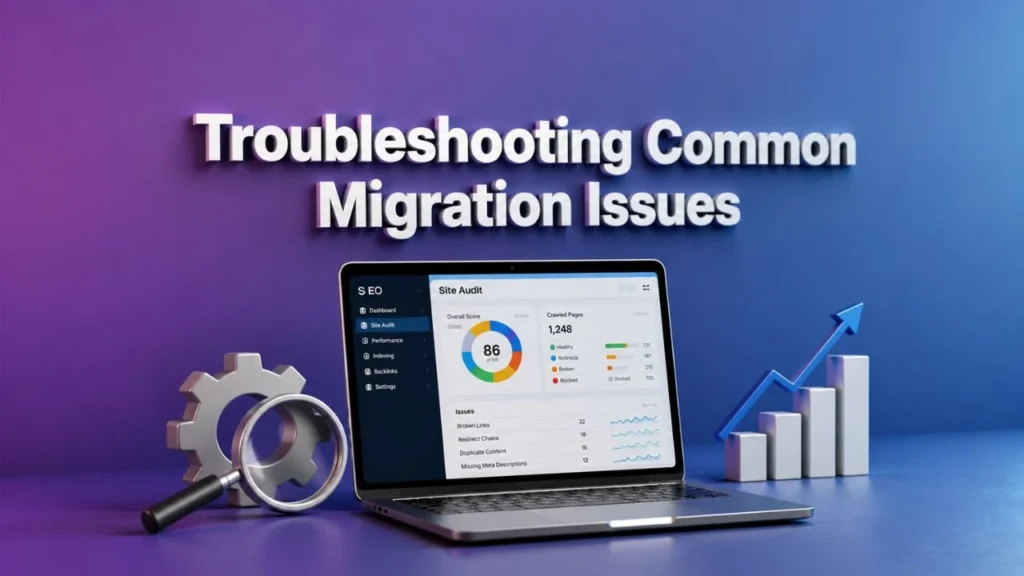
Most migration fires share a short list of common ignition points that teams repeatedly overlook. SEO migration problems often trace back to a handful of technical oversights during website redesign projects. These issues surface quickly when teams skip systematic checks before launch.
Ranking drops
Symptoms such as soft 404s, sudden ranking drops, and missing rich results point to specific root causes. Each symptom maps to a probable technical issue that requires a precise fix. A decision tree approach helps teams diagnose problems without wasting time on unrelated fixes.
Start by identifying your primary symptom. Then follow the path to the most likely cause and the targeted solution. This structured method saves hours of trial and error during the critical post-migration period.
Minimal content
Soft 404s typically appear when the server returns a 200 status code for pages that no longer exist or contain minimal content. The probable cause involves improper handling during URL mapping or missing 301 redirect rules. Implement proper redirects from old URLs to relevant new destinations and verify server response codes through Google Search Console.
Duplicate content issues
Sudden ranking drops often result from duplicate content issues or broken internal linking structures after a redesign. Check for duplicate meta title and meta description tags across multiple pages. Audit your site architecture to ensure crawl paths remain intact and hreflang tags function correctly for international versions.
Incorrect schema markup
Missing rich results usually stem from broken structured data or incorrect schema markup implementation. Validate your markup using testing tools and confirm that canonical tags point to the preferred versions of each page. Review XML sitemap submissions to ensure all updated URLs appear correctly in search indexes.
How do you measure migration success?
Success cannot be declared until multiple data points align weeks after the new site stabilizes. Many teams assume traffic returning to previous levels signals victory, yet this view misses critical underlying issues. A true evaluation requires examining several layers of performance data together.
Traffic retention
Traffic retention alone fails to reveal whether search visibility actually held steady. Rankings might shift across keywords while overall visits appear normal due to seasonal patterns or other traffic sources. This creates a false sense of security after a website redesign.
Conversion maintenance
Conversion maintenance offers another essential perspective on migration outcomes. A site might keep its traffic volume but lose revenue if key pages no longer convert at previous rates. Checking whether users complete desired actions helps identify problems early.
Ranking stability
Ranking stability across core terms provides the clearest signal of technical health. When important keywords maintain their positions without major drops, the migration likely preserved the site’s foundation properly. This stability matters more than raw traffic numbers in most cases.
What KPIs should you track after launch?
Five core metrics reveal whether the migration preserved or improved search performance. Each one connects to specific tools and thresholds that flag potential problems. Tracking these indicators helps teams respond quickly when issues surface.
| KPI | Data Source | Acceptable Variance | Escalation Trigger |
| Organic traffic volume | Analytics platform | Within 10 percent of baseline | Drop exceeds 15 percent for three consecutive days |
| Keyword ranking positions | Rank tracking tool | Stable within five positions | Multiple core terms fall beyond ten positions |
| Indexed page count | Google Search Console | Matches pre-migration totals | Significant pages disappear from index reports |
| Conversion rate | Analytics goals | Within five percent of prior average | Revenue or lead volume declines sharply |
| Crawl error rate | Search Console reports | Below two percent of total URLs | Server errors or redirect chains increase |
Each metric serves a distinct purpose in the evaluation process. Organic traffic shows overall visibility while indexed pages confirm proper crawl access. Conversion data ensures business outcomes remain intact throughout the transition.
Teams should review these numbers daily during the first two weeks after launch. Patterns that emerge across multiple metrics often point to deeper technical concerns requiring immediate attention. Consistent monitoring prevents small issues from growing into major setbacks.
When should you expect ranking recovery?

Recovery timelines depend more on crawl frequency and site authority transfer than on any fixed calendar date. Different websites face unique circumstances based on their size, history, and technical setup. Understanding these factors helps set realistic expectations after a website redesign.
Small sites with strong domain authority
Small sites with strong domain authority often see rankings stabilize within several weeks. Their pages receive frequent attention from search crawlers, allowing quick reindexing of updated content. These properties typically maintain consistent performance through the transition period.
Larger sites with complex structures
Larger sites with complex structures face longer adjustment periods after migration. Their extensive page counts require more time for complete crawling and evaluation by search systems. Content depth and internal linking patterns also influence how quickly authority transfers to new URLs.
Estimate Conservative
Conservative estimates suggest allowing up to two months for full stabilization across most properties. Sites undergoing major architecture changes or platform shifts may need additional time beyond this window.
Monitoring crawl stats and indexation rates provides better guidance than assuming specific recovery dates.
Frequently Asked Questions
What is an SEO Migration Checklist for Website Redesigns?
An SEO Migration Checklist for Website Redesigns is a systematic guide that helps preserve and improve a site’s search engine rankings during a website redesign. It covers every critical step from pre-launch audits to post-launch monitoring to ensure no organic traffic is lost.
Why do you need an SEO Migration Checklist for Website Redesigns?
Without a dedicated SEO Migration Checklist for Website Redesigns, even minor changes like URL structures, meta tags, or internal links can cause significant drops in visibility. Following the checklist keeps your rankings stable and prevents costly recovery periods after launch.
How do you create an effective SEO Migration Checklist for Website Redesigns?
Start by auditing every URL, title tag, meta description, and backlink. Map old URLs to new ones with proper 301 redirects, preserve on-page SEO elements, and test everything in a staging environment before going live. This structured approach forms the backbone of any successful SEO Migration Checklist for Website Redesigns.
What are the key steps in an SEO Migration Checklist for Website Redesigns?
The essential steps include crawling the current site, documenting all ranking pages, creating a redirect map, updating XML sitemaps and robots.txt, optimizing new page templates for SEO, and setting up conversion tracking. These steps ensure a smooth transition when executing an SEO Migration Checklist for Website Redesigns.
How long does an SEO Migration Checklist for Website Redesigns take to implement?
Implementation time varies by site size, but most SEO Migration Checklist for Website Redesigns projects require 4-8 weeks. This includes pre-launch audits, staging environment testing, launch-day monitoring, and at least 30 days of post-launch performance tracking.
How can you measure success after following an SEO Migration Checklist for Website Redesigns?
Track organic traffic, keyword rankings, crawl errors, and indexation rates before and after the redesign. If metrics remain stable or improve within 60-90 days, your SEO Migration Checklist for Website Redesigns has been executed successfully.