Content can perform well for months and then slowly lose traffic, clicks, and keyword positions. This drop does not always happen because the content is poor. Sometimes the search intent changes. Sometimes competing pages become more detailed. Sometimes the page becomes outdated, slow, poorly linked, or weak for mobile users.
This is where Content Decay & SEO Refresh becomes important.
A smart refresh helps you improve older blog posts instead of creating new content every time rankings fall. It allows you to update information, improve keyword relevance, answer new search questions, strengthen internal links, and make the page easier for Google, AI search tools, answer engines, and voice search systems to understand.
For a website like Dakshraj.com, this approach can help old blog posts regain search visibility, support topical authority, and bring more qualified organic traffic.
Table of Contents
What Is Content Decay?
Content decay means a page is losing search performance over time. The page may have ranked earlier, but now it receives fewer clicks, fewer impressions, or lower keyword positions.
Content decay can affect blog posts, service pages, guides, landing pages, and resource pages. In most cases, the content is still useful, but it needs updates to match the current search demand.
Common signs of content decay
• Organic traffic is dropping
• Google Search Console clicks are decreasing
• Impressions are falling
• Average keyword position is lower
• CTR is weaker than before
• The page ranks for fewer search queries
• Users leave the page quickly
• The content feels outdated
• The post does not answer current user questions
• Competitors have stronger and fresher pages
Why content decay matters
When content starts losing visibility, it can affect more than one page. A weak article can reduce internal link value, lower topical coverage, and reduce traffic from informational searches. Over time, this can also affect lead generation and trust.
A well planned Content Decay & SEO Refresh process helps you recover value from content that already exists. It saves effort, improves ranking potential, and strengthens your website without needing to publish new posts for every topic.
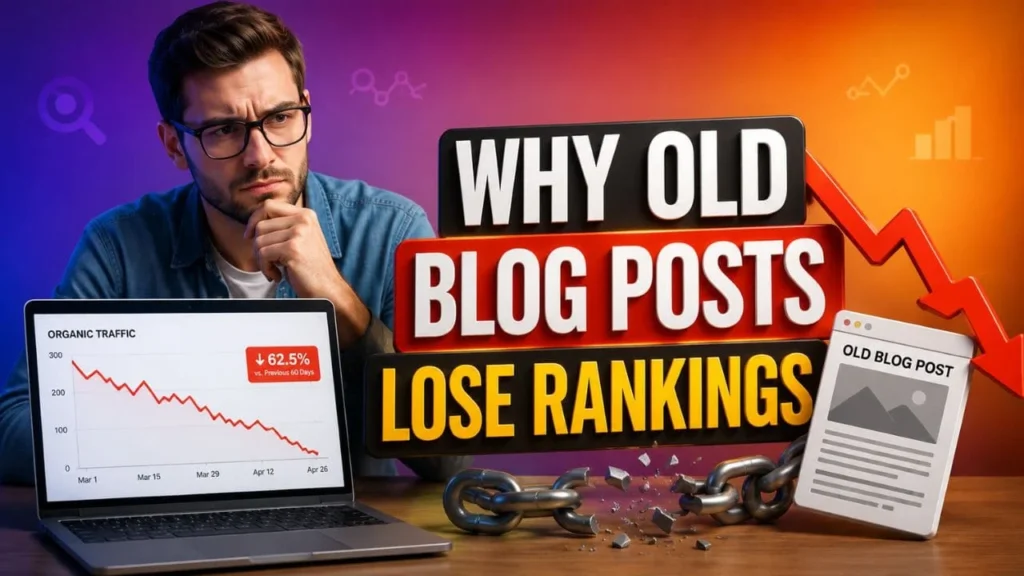
Why Old Blog Posts Lose Rankings
Old content loses rankings for many reasons. Some are related to content quality, while others are linked to technical SEO, internal linking, and user behaviour.
Search intent changes
Search intent is the reason behind a user query. A blog post may have matched search intent when it was first published, but user expectations can change.
For instance, users may now want:
• Shorter answers
• Step based guidance
• Updated tools
• Fresh statistics
• Better comparison tables
• FAQ style answers
• AI search friendly summaries
• Voice search ready responses
When the content does not match what users expect now, rankings may decline.
Competitors improve their content
Search results are not fixed. If other websites update their old posts, add more helpful sections, improve headings, and answer more questions, they may move ahead.
To compete, your page needs regular updates. Content Decay & SEO Refresh helps you close missing content gaps and make the post more complete.
Information becomes outdated
SEO, content marketing, AI search, and user behaviour change often. Old screenshots, outdated steps, weak definitions, and expired links can make a post less useful.
Search engines want helpful and reliable pages. If the content feels outdated, it may lose visibility.
Internal links become weak
Older posts are often not connected with newer related content. This reduces crawl flow and topic connection.
A content refresh should always include internal link improvement. For this article, a useful placement is the anchor content marketing funnel that drives revenue because content refresh works better when it supports the full user journey from awareness to conversion.
Technical SEO issues affect performance
Even helpful content can lose visibility when technical signals are weak. During Content Decay & SEO Refresh, review technical factors such as:
• Page speed
• Mobile usability
• Core Web Vitals
• Crawl access
• Indexing status
• Broken links
• Schema markup
• Image size
• robots.txt and mobile crawl configuration
• Mobile first indexing readiness
These checks help the page perform better for users and search engines.
Content Decay vs Content Refresh
| Point | Content Decay | Content Refresh |
| Meaning | A drop in page performance over time | The process of improving old content |
| Main issue | Lower traffic, clicks, rankings, or relevance | Content needs updates, better structure, and stronger intent match |
| SEO impact | Reduced visibility and fewer organic visits | Better ranking potential and improved user value |
| Main action | Find pages losing performance | Update, optimize, republish, and monitor |
| Best data source | Google Search Console and analytics tools | Content audit, SERP review, and SEO checklist |
| Goal | Identify decline | Recover traffic and improve rankings |
Benefits of Content Decay & SEO Refresh
A strong Content Decay & SEO Refresh plan gives your old content a second chance to perform. It also helps search engines understand that your website is active, updated, and useful.
Improves existing rankings
Old posts often already have some authority, backlinks, internal links, and keyword history. Refreshing them can be more effective than starting from zero.
When you update headings, improve answers, add missing topics, and fix outdated content, the page becomes more useful for current searches.
Increases organic traffic
When a refreshed page starts matching search intent better, it can attract more impressions and clicks. Better title tags, meta descriptions, FAQs, and answer focused sections can also improve CTR.
Builds stronger topical authority
A website that updates its old content regularly can build stronger topical coverage. This matters for SEO, GEO, AEO, AI search visibility, and voice search.
A refreshed page can support related service pages and blog posts through internal links. This helps search engines understand your content network.
Supports AI search visibility
AI search tools often summarise content that is clear, structured, updated, and easy to extract. A refreshed article should include:
• Direct definitions
• Short answer sections
• Summary boxes
• FAQ content
• Clear headings
• Entity rich phrases
• Simple explanations
• Schema markup
This makes the page easier for AI tools and answer engines to understand.
Improves user experience
People do not want outdated or confusing content. A useful refresh improves readability, structure, trust, and action clarity.
Helps voice search performance
Voice search works best with natural questions and direct answers. When your article includes question based headings and short responses, it becomes easier for voice search systems to use.

How to Find Content Decay in Google Search Console
Google Search Console is one of the best tools for finding decayed content. You can review page level data and compare performance over time.
Use Google Search Console for content performance audits
A practical content refresh starts with data. You can use Google Search Console for content performance audits to find pages that are losing clicks, impressions, CTR, or keyword positions.
What to check in Search Console
Look at these areas:
• Pages with declining clicks
• Pages with declining impressions
• Queries losing average position
• High impression pages with low CTR
• Pages that rank on page two
• Pages that lost featured snippet visibility
• Pages with fewer long query matches
• Blog posts with old publish dates
• Pages with low engagement from organic search

Content Decay & SEO Refresh Strategy
A successful Content Decay & SEO Refresh process should not only add a few new lines. It should improve the full page from search intent to structure, internal links, technical quality, and answer clarity.
Step 1: Recheck Search Intent
Before editing the content, review what users want now. Search the main keyword and study the top ranking pages.
Questions to ask
• Are users looking for a definition?
• Do they want a checklist?
• Do they need a full guide?
• Are they comparing options?
• Do they need tools or steps?
• Are they looking for service support?
• Do AI Overviews show direct answers?
• Are People Also Ask questions different from before?
H4: Search intent update tip
If the post does not answer the main query within the first few paragraphs, rewrite the introduction. A clear answer at the top helps users, featured snippets, and AI search tools.
Step 2: Improve the Introduction
The introduction should quickly explain the problem, the value of the topic, and what the reader will learn.
A strong introduction should include
• A simple explanation of content decay
• Why rankings drop over time
• Why refreshing old posts matters
• What the article will help the reader understand
• A direct answer for answer engines
• A natural mention of the focus keyword
AI friendly answer box
Quick answer:
Content decay happens when an old page loses traffic, rankings, clicks, or relevance over time. Content Decay & SEO Refresh helps improve the page by updating outdated information, matching current search intent, improving internal links, fixing technical issues, and adding clearer answers for users and search engines.
Step 3: Update Headings for SEO, GEO, AEO, and Voice Search
Headings help users and search systems understand your content. Each H2 and H3 should answer a real query or explain a useful part of the topic.
Use question based headings
Add headings such as:
• What is content decay in SEO?
• How do you refresh old blog posts?
• Why do old posts lose rankings?
• How often should you update old content?
• Can content refresh improve organic traffic?
• What is the best content refresh checklist?
H4: Voice search tip
Write answers in a conversational tone. Voice search users often ask complete questions, so your headings should sound natural.
Step 4: Add Missing Subtopics
A refreshed article should cover the topic better than competing pages. For Content Decay & SEO Refresh, add sections that answer related queries.
Useful subtopics to include
• Content decay meaning
• SEO content refresh checklist
• How to update old blog posts
• How to find declining content
• Google Search Console content audit
• Content pruning vs content refresh
• How to improve old content rankings
• AI search content optimization
• Voice search content structure
• Mobile first indexing checks
• Core Web Vitals audit checklist
• robots.txt and mobile crawl configuration
These subtopics help the page become more complete and useful.
Step 5: Refresh Outdated Information
Outdated content can reduce trust. During the refresh, review every section and remove weak or old information.
What to update
• Old dates
• Outdated SEO advice
• Broken external links
• Old screenshots
• Irrelevant tool mentions
• Thin sections
• Missing answers
• Weak statistics
• Old keyword references
• Unclear paragraphs
H4: Content quality reminder
Do not update only the publish date. Search engines and users need real improvements, not surface level edits.
Step 6: Improve Internal Linking
Internal links help users discover related pages and help search engines understand topic relationships.
How to add internal links naturally
Add internal links only where they help the reader. Do not force links into unrelated paragraphs. The anchor text should explain what the linked page is about.
A good internal linking plan can help your refreshed blog support service pages and other related blog posts.
Step 7: Review Technical SEO During Content Refresh
Content updates are important, but technical issues can block growth. A page should be easy to crawl, load, index, and read on mobile devices, which is why using a Core Web Vitals audit checklist can help identify speed, layout, and user experience issues before they affect rankings.
Mobile first indexing
Mobile first indexing means Google mainly uses the mobile version of your page for indexing and ranking. During Content Decay & SEO Refresh, check whether the mobile page shows the same useful content as desktop.
Mobile first technical SEO services
For business websites, mobile first technical SEO services can help review mobile usability, speed, crawl issues, indexing, structured data, and content visibility.
Core Web Vitals audit checklist
Use a Core Web Vitals audit checklist to review:
• Largest Contentful Paint
• Interaction to Next Paint
• Cumulative Layout Shift
• Image loading
• Font loading
• Script performance
• Mobile speed
• Layout stability
robots.txt and mobile crawl configuration
Check robots.txt and mobile crawl configuration to ensure important CSS, JavaScript, images, and content resources are not blocked. This also helps prevent crawl budget issues, as search engines can focus on accessing the right pages and resources. If search engines cannot access mobile resources, they may not understand the page properly.
Step 8: Add AI Search Friendly Summary Boxes
AI search systems often prefer content that is easy to summarise. Summary boxes can help clarify the main idea of each section.
Summary box format
Key takeaway:
A content refresh should improve search intent, update outdated details, add missing questions, strengthen internal links, fix technical issues, and support a smart Content Repurposing Strategy. This makes the page more useful for readers, Google Search, AI search tools, answer engines, and voice search.
Step 9: Add Practical Checklists
Checklists make content easy to scan and useful for action.
Content refresh checklist
| Task | Purpose | Priority |
| Check Search Console data | Find pages losing traffic | High |
| Review search intent | Match current user needs | High |
| Update outdated sections | Improve trust and accuracy | High |
| Improve title and meta description | Increase CTR | High |
| Add missing subtopics | Improve topical depth | High |
| Add FAQ section | Support AEO and voice search | Medium |
| Add internal links | Improve crawl flow and relevance | High |
| Check mobile first indexing | Improve mobile visibility | Medium |
| Review Core Web Vitals | Improve page experience | Medium |
| Add schema markup | Help search engines understand the page | Medium |
| Monitor results | Measure refresh impact | High |
Step 10: Republish and Monitor Performance
After the refresh, republish the article with meaningful updates. Then monitor results in Google Search Console, analytics tools, and SEO metrics KPIs to measure ranking, traffic, CTR, and conversion improvements.
What to track after refresh
• Clicks
• Impressions
• CTR
• Average position
• Ranking keywords
• Featured snippet visibility
• AI search visibility
• Organic conversions
• Internal link clicks
• Engagement signals
H4: Monitoring timeline
Review early changes after 2 to 4 weeks. For stronger ranking movement, check results after 60 to 90 days.

Content Pruning vs Content Refresh
Not every old post should be refreshed. Some pages may need to be merged, redirected, or removed from the active content plan to fix duplicate content issues and improve overall SEO performance.
When to refresh content
Refresh content when:
• The page still gets impressions
• The page has useful backlinks
• The topic is still relevant
• The page supports a service or conversion goal
• The content can be improved
• The page has ranking history
When to merge content
Merge content when two or more pages target the same search intent and compete with each other.
When to prune content
Prune content when:
• The page has no search value
• The topic is no longer useful
• The content is too thin
• The post overlaps with a stronger page
• The page has no links, traffic, or business value
Common Content Decay & SEO Refresh Mistakes
A content refresh can fail when it focuses only on surface changes.
Updating only the date
Changing the date without improving the content does not make the page more useful. Add real updates, better answers, and stronger structure.
Adding keywords unnaturally
Keyword stuffing can hurt readability. Use the focus keyword naturally and support it with related phrases such as content refresh strategy, old content optimization, SEO content audit, organic traffic recovery, and update old blog posts.
Ignoring user questions
If the article does not answer People Also Ask and voice search questions, it may miss valuable search opportunities.
Forgetting internal links
Internal links help refreshed content connect with your wider website. They also support crawl paths and topic authority.
Ignoring mobile performance
A page may look fine on desktop but perform poorly on mobile. Review mobile first indexing, Core Web Vitals, and crawl access before republishing.

How Content Decay & SEO Refresh Helps AI Search and Voice Search
AI search tools and voice assistants need clear answers. A refreshed page should make information easy to identify, extract, and review through an AI Search Readiness Checker.
For AI search
Use:
• Clear definitions
• Structured headings
• Short answer sections
• FAQ blocks
• Summary boxes
• Helpful tables
• Direct explanations
• Schema markup
For voice search
Use:
• Natural questions
• Simple answers
• Conversational wording
• Short paragraphs
• Clear steps
• Location relevant language when needed
H4: Answer engine writing tip
Place the direct answer before the detailed explanation. This helps both readers and answer engines understand the content faster.
Suggested Schema Markup
Schema markup and structured data AI AEO help search engines understand the page structure more clearly.
Recommended schema types
| Schema Type | Purpose |
| Article Schema | Helps define the blog post |
| FAQPage Schema | Supports FAQ visibility |
| HowTo Schema | Useful for step based refresh guidance |
| BreadcrumbList Schema | Shows page hierarchy |
| WebPage Schema | Adds page level context |
FAQ
Q: What is Content Decay & SEO Refresh?
Ans: Content Decay & SEO Refresh is the process of finding pages that are losing rankings, clicks, or relevance and improving them with updated content, better structure, stronger internal links, and technical SEO checks.
Q: Why does content decay happen?
Ans: Content decay happens when search intent changes, competitors improve their pages, information becomes outdated, internal links become weak, or technical SEO issues reduce page performance.
Q: How do I find content decay?
Ans: You can find content decay by checking Google Search Console for drops in clicks, impressions, CTR, average position, and ranking queries. Compare recent performance with older periods to spot decline.
Q: How often should old blog posts be refreshed?
Ans: Important blog posts should be reviewed every 3 to 6 months. High value pages may need more frequent checks, especially if rankings or leads are declining.
Q: Can refreshing old content improve rankings?
Ans: Yes, refreshing old content can improve rankings when the update improves search intent match, content quality, internal linking, technical performance, and answer clarity.
Q: Should I refresh or delete old content?
Ans: Refresh the content if it still has traffic, impressions, backlinks, ranking potential, or business value. Remove, merge, or redirect it only when it has no useful value or overlaps with another stronger page.
Q: Does Content Decay & SEO Refresh help voice search?
Ans: Yes. A refresh can help voice search when the content includes question based headings, short answers, simple language, and clear FAQ sections.
Q: Does content refresh help AI search visibility?
Ans: Yes. AI search tools can better understand content that is structured, updated, direct, and supported with clear headings, summary boxes, FAQ sections, and schema markup.
Q: What technical SEO checks should be included?
Ans: Include mobile first indexing checks, Core Web Vitals audit checklist, crawl access review, robots.txt and mobile crawl configuration, broken link checks, schema review, and indexing checks.
Conclusion
Content Decay & SEO Refresh is one of the most practical ways to improve old blog posts and recover lost search visibility. Instead of letting older content lose value, you can update it with better answers, stronger structure, fresh information, improved internal links, and technical SEO checks.
For better results, start with data from Google Search Console. Find the pages losing clicks, impressions, CTR, or keyword positions. Then review search intent, improve headings, add missing questions, update outdated sections, and make the page easier for Google, AI search tools, answer engines, and voice search systems to understand.
A strong refresh is not just about editing old content. It is about making the page useful again for real readers. When your article answers current questions clearly, loads well on mobile, connects with related pages, and supports the wider content strategy, it has a better chance to regain rankings and bring long term organic traffic.